Installing Gentoo on a 2019 T2 Mac Pro with ZFS
It’s nearly impossible to buy reasonably priced compute hardware in the current market. Consumer memory has regressed to 2009 prices and high-end video card compute has skyrocketed12. While looking around for DDR4 RAM and systems on eBay, I discovered 2019 Mac Pro units at seemingly reasonable prices. Their value dropped as Apple abandoned the Intel architecture. Although Apple released a version of this model with the newer Apple Silicon, it couldn’t even utilize the video cards from the previous generation3, signaling that the Mac Pro was a dead-end platform. However, even with it being a 2019 machine with DDR4 and PCI Gen3, it was still very reasonably priced in today’s market. I decided to buy one of these and see if I could turn it into a Gentoo server, specifically to house my GPUs and use for agentic workloads at a reasonable price. I ran into quite a few challenges, but did get a fully working system in the end despite Apple’s best effort to create more e-waste.
Apple Activation Lock
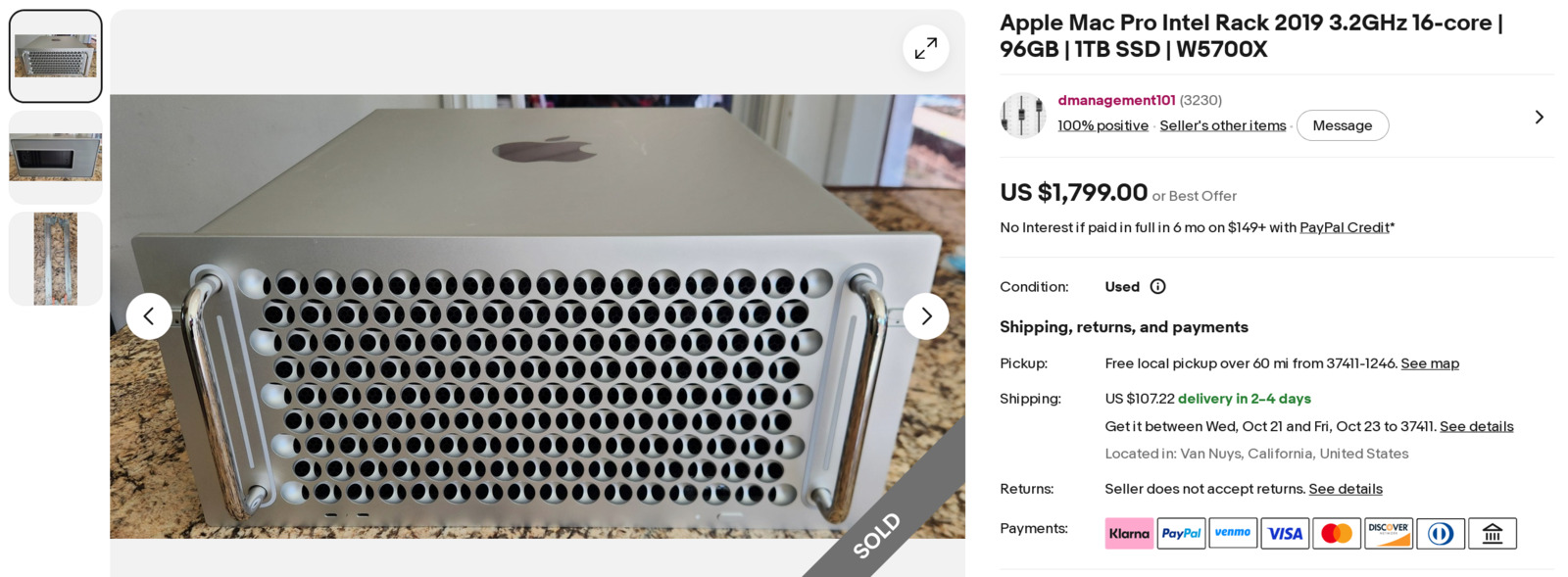
This is the unit I bought. For $2066 USD (including taxes and shipping), I got a whisper quiet server equipped with a 16-core Xeon, 96 GB of RAM and a 1 TB NVMe hard drive. I had looked up documentation on getting Linux running on these T2-equipped Apple devices prior to purchase45, and it seemed feasible. I had installed Gentoo on a Mac Book previously. Although I ran into some challenges with the desktop and graphics on that device, I intended this system to only function as a server with no desktop interface, greatly simplifying my use case.
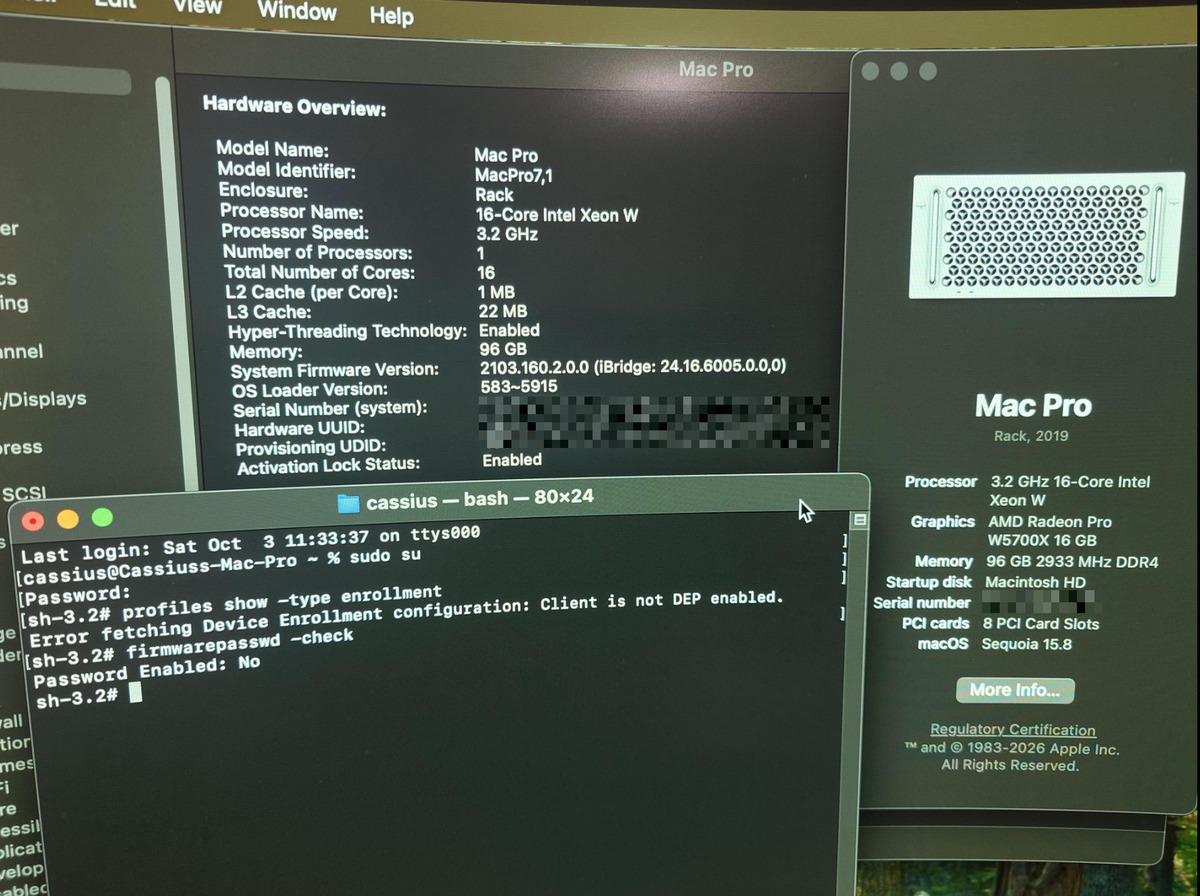
If you decided to go down the route of buying a used Apple device, even if you don’t intend to install Linux on it, always make sure the device is not activation locked before purchase. Many eBay listings will screenshot the activation status to ensure buyers know the Mac will truly be theirs. When I attempted to alter secure boot so I could install Linux, I was greeted with a screen asking for an iCloud password for the previous user.
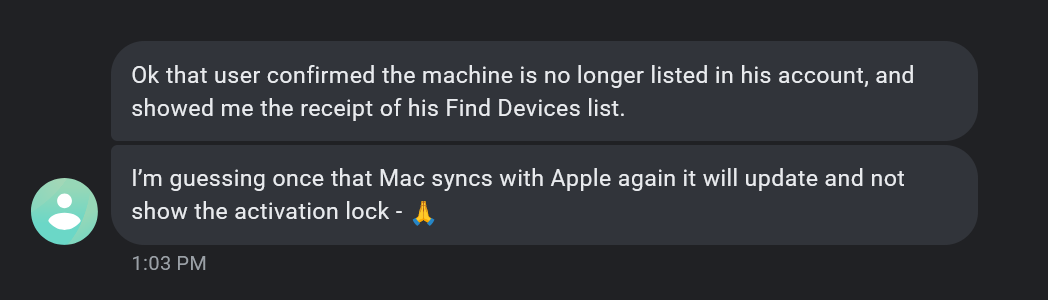
Thankfully, the eBay seller was liquidating these old Macs for a major firm in California. He was able to call them, and they identified the previous user. Using my serial number, the former user removed the device from his iCloud account. If this had been a third or fourth-hand purchase, I might have had to return this Mac, as it would be a useless paperweight. Even if you don’t intend to install Linux, a Mac activated under a different user could prevent you from enabling encryption, setting a firmware password or using other security-related features.
Booting Ubuntu with ZFS
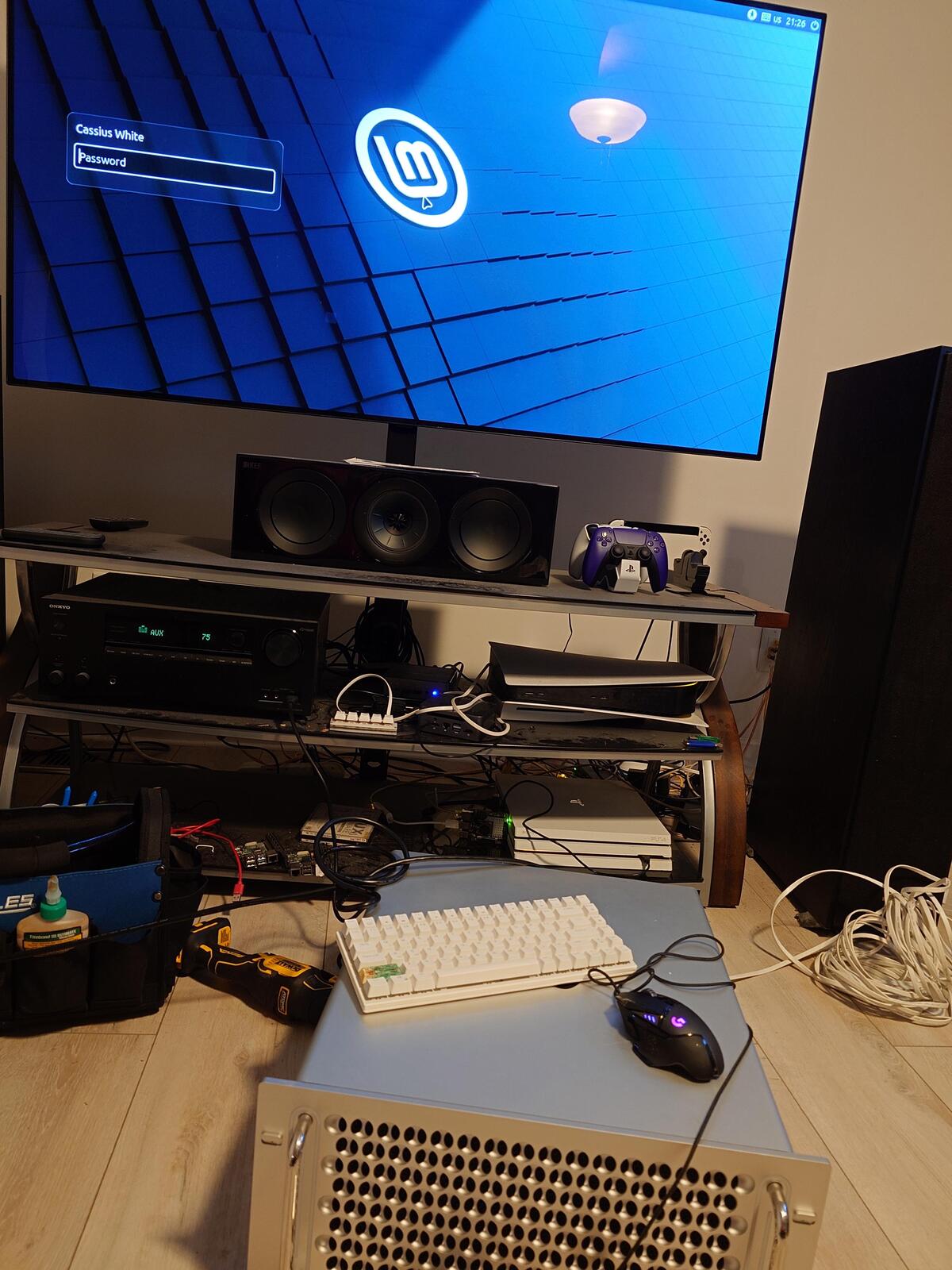
I installed Mint at first, just to ensure I could install Linux, but my ultimate goal was Gentoo. Although there is a Gentoo overlay with ebuild files for a T2 patched Gentoo kernel, there are no official Gentoo images with T2 support. The official documentation recommended using a different distribution4. I decided to use the T2-Ubuntu Linux image. Unfortunately, the ZFS DKIM module could not compile as the kernel version on this image was too new for it.
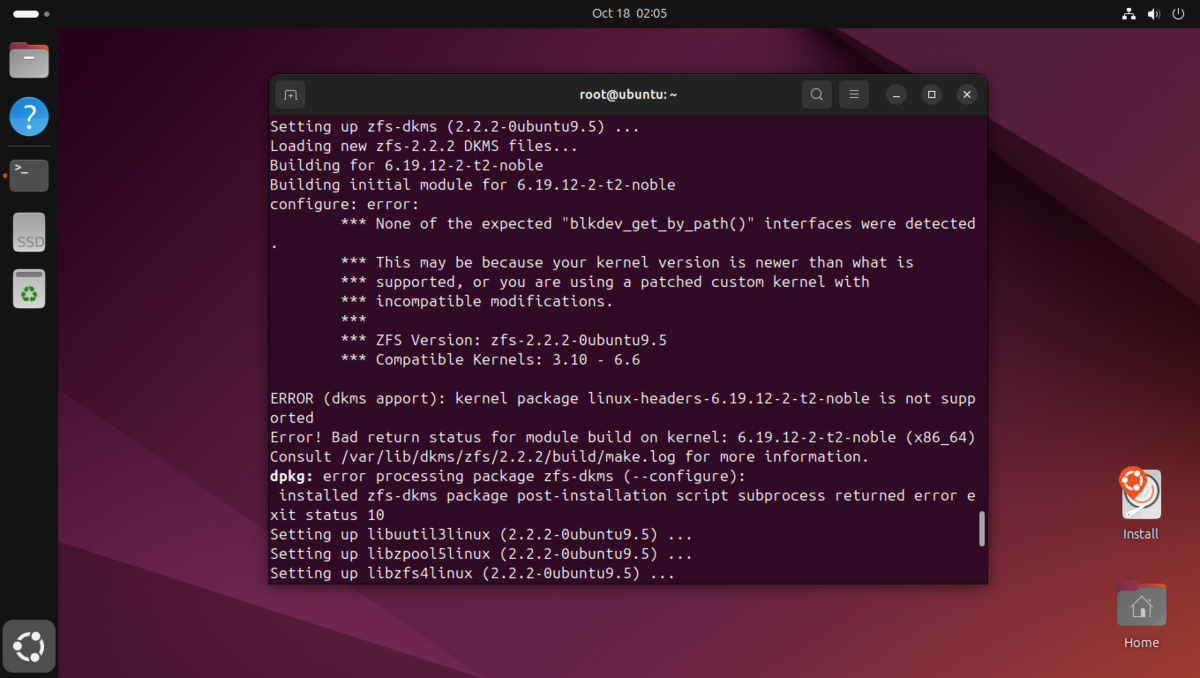
If I tried to jump back to an earlier version of the Ubuntu image, it still used a T2 patched kernel that was too new, and I ran into the same issue. I’ve never made a custom Gentoo boot image before. The T2 Gentoo kernel overlay mentioned on the T2 Wiki4 was two years out of date6. Thankfully, I found another overlay that had automation built into it to keep it up to date with recent kernels7. At this point I used a large language model, giving it an exact specification of what I wanted. It created the scripts I need to build an image that can boot a Gentoo live environment, with ZFS included, specifically for a T2 Mac. These scripts are available in my public t2-gentoo-zfs repository.
I used a fairly standard partition layout with an EFI partition, swap and the primary volume.
Device          Start       End   Sectors   Size Type
/dev/nvme0n1p1    256     77055     76800   300M EFI System
/dev/nvme0n1p2  77056    109823     32768   128G Linux swap
/dev/nvme0n1p3 109824 244276223 244166400 931.4G Linux filesystem
At this point, I used my existing notes to create my ZFS root.
# Setup variables

ZFS_ROOT_DISK=nvme-APPLE_SSD_AP-YOUR_UNIQUE_ID-part3
EFI_DISK=nvme-APPLE_SSD_AP-YOUR_UNIQUE_ID-part1
DISK_PASSWD="SomeSuperSecretPassword"

# Disk Encryption Key

echo "$DISK_PASSWD" > /etc/zfs/zroot.key
chmod 000 /etc/zfs/zroot.key

# Setup ZFS Main Volume

zgenhostid

zpool create -f -o ashift=12 \
  -o autotrim=on \
  -R /mnt/gentoo \
  -O compression=lz4 \
  -O acltype=posixacl \
  -O xattr=sa \
  -O relatime=on \
  -O encryption=aes-256-gcm \
  -O keylocation=file:///etc/zfs/zroot.key \
  -O keyformat=passphrase \
  -O mountpoint=none \
  -O canmount=off \
  zroot /dev/disk/by-id/$ZFS_ROOT_DISK

zfs create -o mountpoint=none zroot/ROOT
zfs create -o mountpoint=/ -o canmount=noauto zroot/ROOT/gentoo

# mount root BEFORE creating children

zfs mount zroot/ROOT/gentoo

# I like keeping home and var on their own datasets

zfs create -o mountpoint=/home zroot/home
zfs create -o mountpoint=/var  zroot/var

# Needed to book the ZFS volume

zpool set bootfs=zroot/ROOT/gentoo zroot

# Copy ZFS hostid and key into new Gentoo environment

mkdir -p /mnt/gentoo/etc/zfs
cp /etc/hostid /mnt/gentoo/etc/
cp /etc/zfs/zroot.key /mnt/gentoo/etc/zfs/

# Setup EFI

mkfs.fat -F32 "/dev/disk/by-id/$EFI_DISK"

mkdir -p /mnt/gentoo/efi
mount "/dev/disk/by-id/$EFI_DISK" /mnt/gentoo/efi
After this, the standard Gentoo Installation handbook covers most of the rest of the setup.
ZFSBootMenu
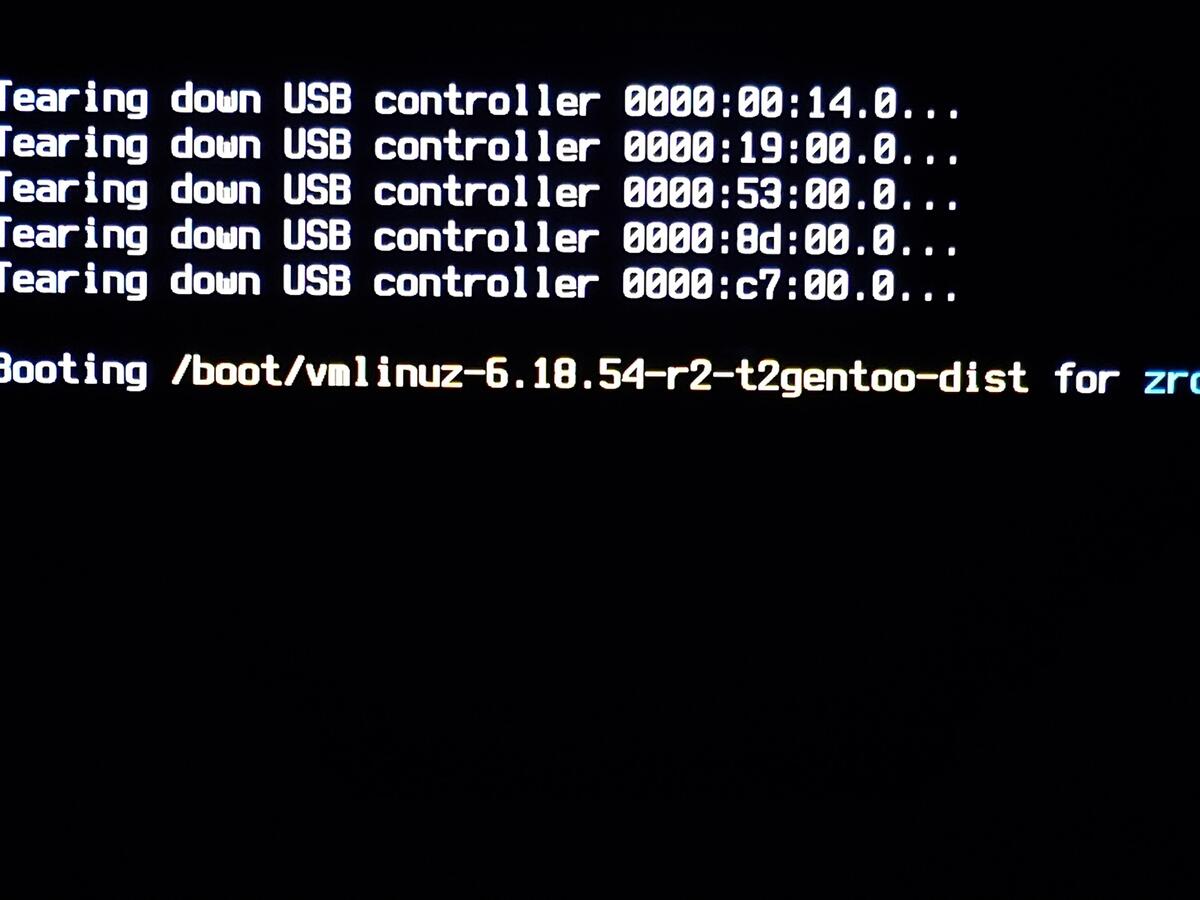
I use the ZFSBootMenu as the bootloader on machines with an encrypted ZFS root partition, as opposed to GRUB. However, to unlock an encrypted ZFS volume, you do need to enter a password at boot. On this Mac, keyboard input is passed through the T2 chip, so ZFSBootMenu must also be built with a Linux kernel patched for T2 in order to unlock the drive. Once again, I prompted the LLM to create a ZFSBootMenu build script with T2 support. It used the same Dockerfile and process for building the Gentoo boot image, modifying it so it could also create a ZFSBootMenu EFI.
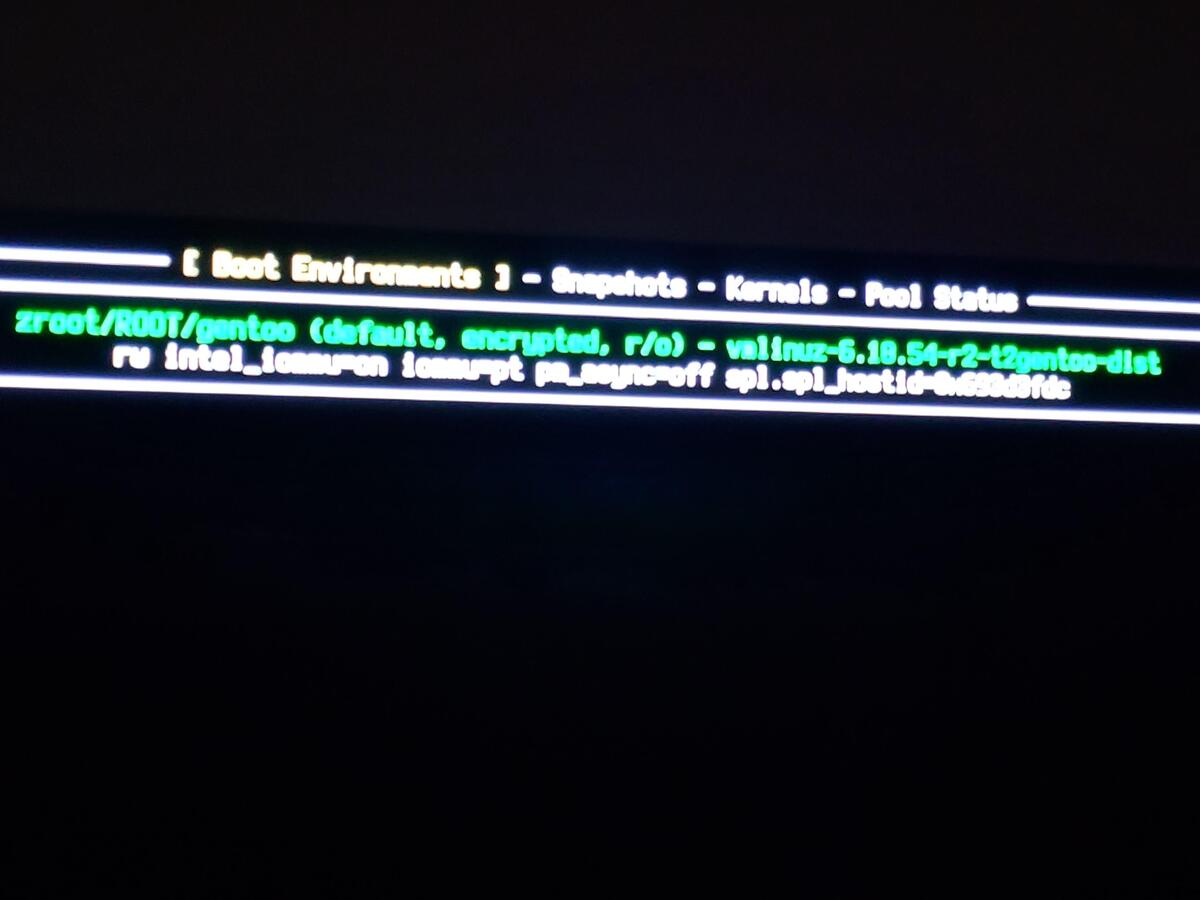
I’ve found it’s best to use models to create scripts and deterministic code for your tasks. Now in the future, if I want to build another image for a different kernel version, I can simply use the tools it already built, modifying the version in the build script, and running it again. This also allows me to distribute the result, so others can build these images locally.
Fans
This unit came with an AMD Radeon Pro W5700X as an MPX module. These modules don’t come with their own fans. Instead they depend on the large case fans to push air through them like on a traditional server. Gentoo does have an ebuild in its package tree for mpbfan, but this tool is intended for laptops and only monitors the CPU temperature, not the GPU temperature8. I found another tool someone had written that could handle the fans directly, but it was for a system where he installed Proxmox on his mac and fed temperature sensor information from the video card through a Windows virtual machine back to the host to control the fan speed9.
Neither of these was able to increase fan speeds based on GPU temperatures in the MPX module, but I used some of the documentation from the second project to play with manually adjusting the fans from the command line. I used that project as input into an LLM, and it generated a script to do exactly what I wanted. With some refinement, I got additional logging. I copied this script to /usr/local/sbin/t2-fans and made it executable.
#!/bin/bash
# t2-fans: Mac Pro 2019 (T2) fan control from max(CPU, GPU) temperature
VERBOSE=true
LOW=50     # °C: at or below, fans go back to Apple automatic control
HIGH=85    # °C: at or above, fans run at max
STEP=100   # RPM: round targets to this step (fewer SMC writes and log lines)

SMC=$(dirname "$(find /sys/devices -path '*APP0001*' -name fan1_min 2>/dev/null | head -1)")
GPU=$(dirname "$(grep -l amdgpu /sys/class/hwmon/hwmon*/name | head -1)")
CPU=$(dirname "$(grep -l coretemp /sys/class/hwmon/hwmon*/name | head -1)")
[ -f "$SMC/fan1_manual" ] || { echo "SMC fan controls not found"; exit 1; }

log() { [ "$VERBOSE" = true ] && echo "$(date '+%F %T') $*"; }

cleanup() {
  for m in "$SMC"/fan*_manual; do echo 0 > "$m"; done
  log "exiting, all fans back to auto"
}
trap cleanup EXIT
trap 'exit' INT TERM

log "started: SMC=$SMC GPU=$GPU CPU=$CPU LOW=${LOW}C HIGH=${HIGH}C"
declare -A LAST

while true; do
  g=$(cat "$GPU/temp2_input" 2>/dev/null || cat "$GPU/temp1_input" 2>/dev/null || echo 0)
  c=$(cat "$CPU"/temp*_input 2>/dev/null | sort -n | tail -1); c=${c:-0}
  gc=$(( g / 1000 )); cc=$(( c / 1000 ))
  t=$(( gc > cc ? gc : cc ))
  changes=""

  for f in "$SMC"/fan*_manual; do
    n=${f%_manual}; name=${n##*/}
    if [ "$t" -le "$LOW" ]; then
      state=auto
      [ "$(cat "$f")" != 0 ] && echo 0 > "$f"
    else
      base=$(cat "${n}_min"); max=$(cat "${n}_max")
      if [ "$t" -ge "$HIGH" ]; then target=$max
      else
        target=$(( base + (max - base) * (t - LOW) / (HIGH - LOW) ))
        target=$(( (target + STEP / 2) / STEP * STEP ))
        [ "$target" -lt "$base" ] && target=$base
        [ "$target" -gt "$max" ] && target=$max
      fi
      state=$target
      [ "$(cat "$f")" != 1 ] && echo 1 > "$f"
      [ "${LAST[$name]}" != "$state" ] && echo "$target" > "${n}_output"
    fi
    if [ "${LAST[$name]}" != "$state" ]; then
      changes+=" $name=$state"
      LAST[$name]=$state
    fi
  done

  [ -n "$changes" ] && log "cpu=${cc}C gpu=${gc}C ->$changes"
  sleep 3
done
When I mentioned Gentoo, the LLM even gave me an openrc init script without me even asking for it specifically. I placed this script in /etc/init.d/t2-fans, made it executable and then used rc-update add t2-fans default to have it run at startup. Current versions of these scripts can be found in t2-gentoo-zfs/fans.
#!/sbin/openrc-run
description="Raise Mac Pro fan minimums from CPU/GPU temperature"
command="/usr/local/sbin/t2-fans"
command_background=true
pidfile="/run/${RC_SVCNAME}.pid"
supervisor=supervise-daemon
respawn_delay=5
output_log="/var/log/t2-fans.log"
error_log="/var/log/t2-fans.log"

depend() {
    after modules
}
So far this seems to work well. I’m not a fan of putting something this critical in a load-bearing shell script, but it seems to work for now. I may revisit this approach later.
Final Thoughts
I’ve successfully run some workloads on the included AMD W5700X card using some of my existing Docker images. Although this Mac Pro uses proprietary power connectors, I’ve ordered a standard set of PCI-E adapter cables for powering non-MPX video cards. The stock power supply should be able to run both my existing 3080-Ti and my R9700 video cards with the appropriate cables.
I considered mounting another external power supply and adding a 5090 into this system as well. Even with the slower PCI-E Gen3 bus and DDR4 RAM, the amount of RAM and PCI-E lanes should allow a 5090 to run fairly well. Unfortunately, the maximum card length of these machines is 12 inches, far below the length of the current 5090 I have.
Still, three decent video cards and 96GB of RAM are plenty for running image generation, video generation and some smaller LLMs and decision models, reducing my dependence on cloud services for some of my upcoming projects. For right now, the Mac will continue to just sit on the floor in the corner, but it did come with the Apple rails included. I plan on moving it to one of my server racks after I shuffle some other units around.
-
NVIDIA Has GPUs If You Have Coin. 19 September 2026. Gamers Nexus. ↩
-
The RTX 5090 Was Already Discontinued (For Gamers). 12 October 2026. Hardware Unboxed. ↩
-
Why Does the M2 Mac Pro Exist?. 28 June 2023. Marques Brownlee. ↩
-
Installation - t2linux wikiMatrix. T2 Linux Wiki. Retrieved 18 October 2026. ↩ ↩2 ↩3
-
The Terrors of Linux on a T2 Mac. 16 July 2025. awpsec. ↩
-
vimproved/t2-overlay. vimproved. Codeberg. Retrieved 20 October 2026. (Last commit: 22 October 2023) ↩
-
pierolenzo/t2-overlay. pierolenzo. Github. Retrieved 20 October 2026. (Last commit: 16 October 2026) ↩
-
mbpfan: A simple daemon to control fan speed on all MacBook/MacBook Pros (probably all Apple computers) for Linux Kernel 3 and newer. linux-on-mac. GitHub. Retrieved on 17 October 2026. ↩
-
mac-pro-fan-control: Advanced per-zone fan control for Mac Pro 2019 (Linux/Proxmox) with GPU temperature integration.. asspenwhite. GitHub. Retrieved on 17 October 2026. ↩