Liberating a PlayStation 5

I’ve previously discussed how I modified my PlayStation 4 to give me control over the hardware I own. Sony has been increasingly anti-consumer. Not to be undone, Microsoft requires linking a Microsoft account to a Sony account for gamers who want to play the first Halo game released for PlayStation, even in single-player mode1. Sony is also requiring customers purchase additional PlayStation accounts simply to play local, split-screen multiplayer2. These increasingly terrible decisions make me glad I took the time to learn how to liberate my PlayStation 5.
Planning
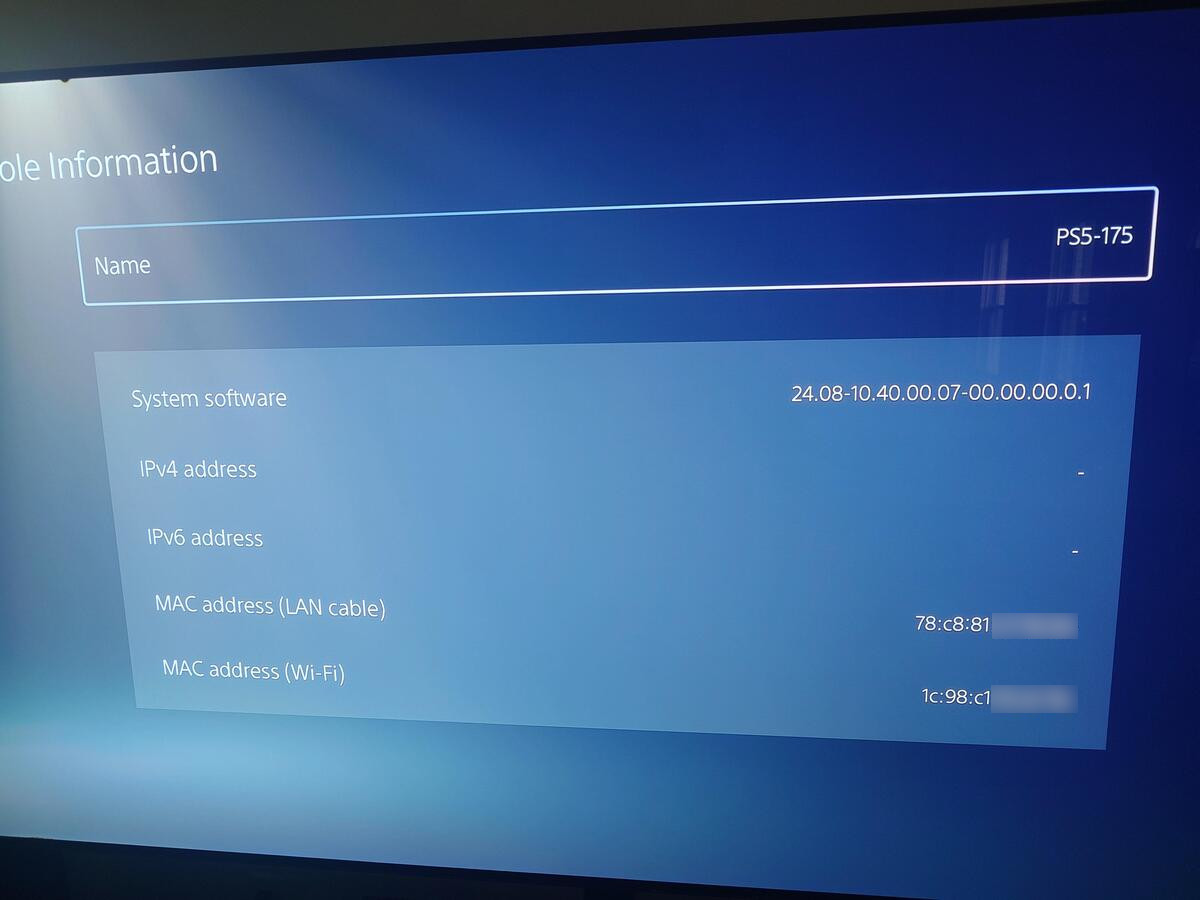
My PlayStation 5 is running firmware 10.40, installed two years ago in 2024. It’s difficult to find decent guides for jail breaking a PlayStation 5, with most of the public exploit code having very vague documentation. This is likely intentional to prevent them from getting flagged and removed from hosting sites like GitHub.
From what I could determine, breaking firmware 10.40 still requires exploiting the PlayStation 4 Lua engine found in certain games. Most of these games are only digital downloads, many of which have been patched, so the exploitable version can no longer be purchased from the Sony store.
Digital Game Exploits
Sony also started placing expiration times on new digital purchases, so your console has to connect to the Internet every 30 days to renew those licenses34. This expiration hasn’t been applied to existing downloaded purchases5. Sony made a statement to GameSpot claiming that players have nothing to worry about6, indicating that the license would change to a permanent one so long as the player checks in once during the 30-day window7. I haven’t found anyone confirming if this is true. Even so, I doubt it was the original intent. My guess is that Sony implemented this policy to force game updates in case future exploits are discovered in currently purchased games.
Star Wars Racer Revenge
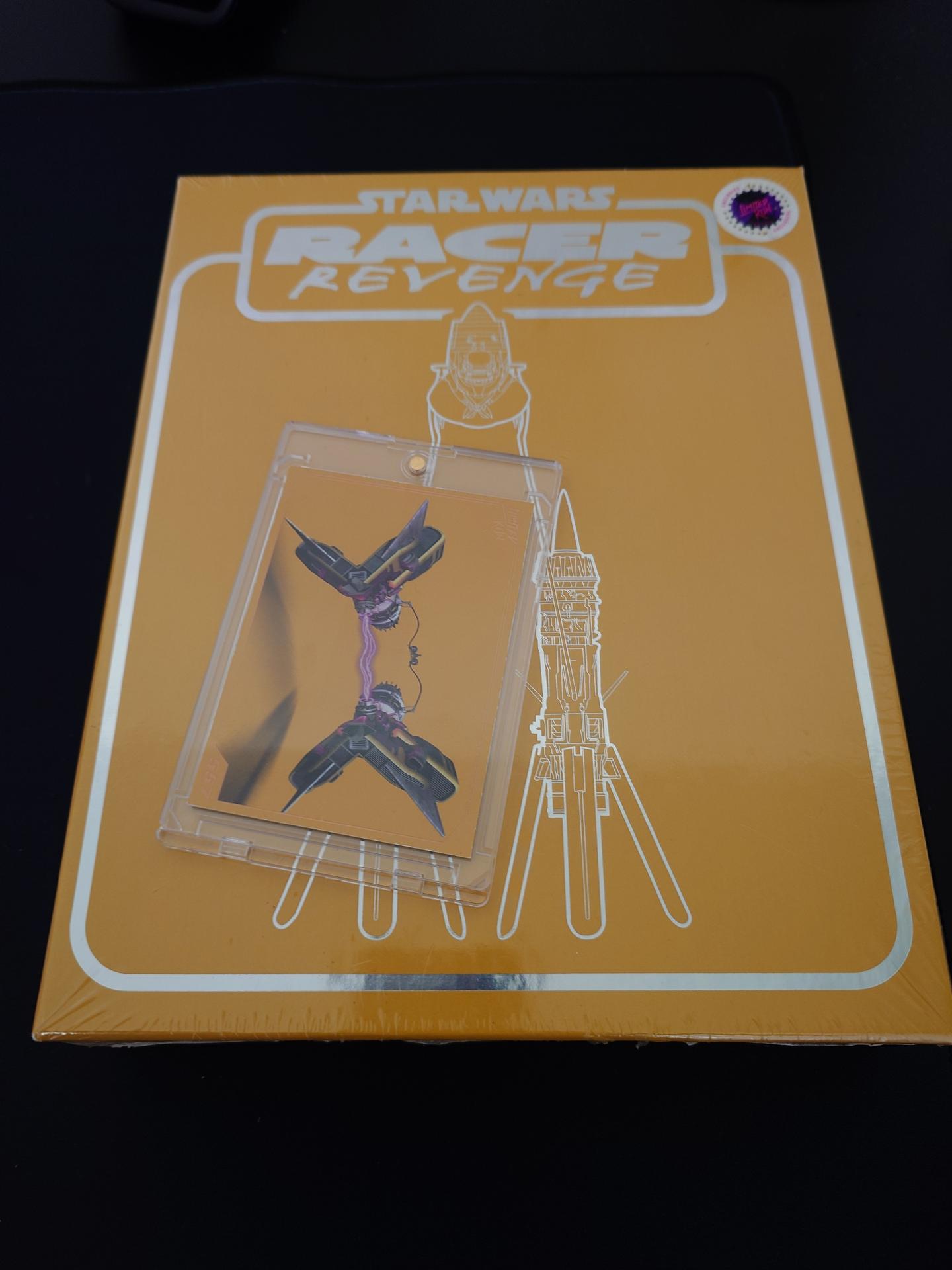
As far as I could tell, the only viable exploit for my current firmware revision involved using a physical copy of Star Wars: Racer Revenge. Limited Run Games released a PS4 port of this game. Although copies used to sell for around $50 used, after the potential exploit was discovered in January, prices skyrocketed to nearly $500 due to Limited Run only pressing approximately 8,500 copies of this disc8.
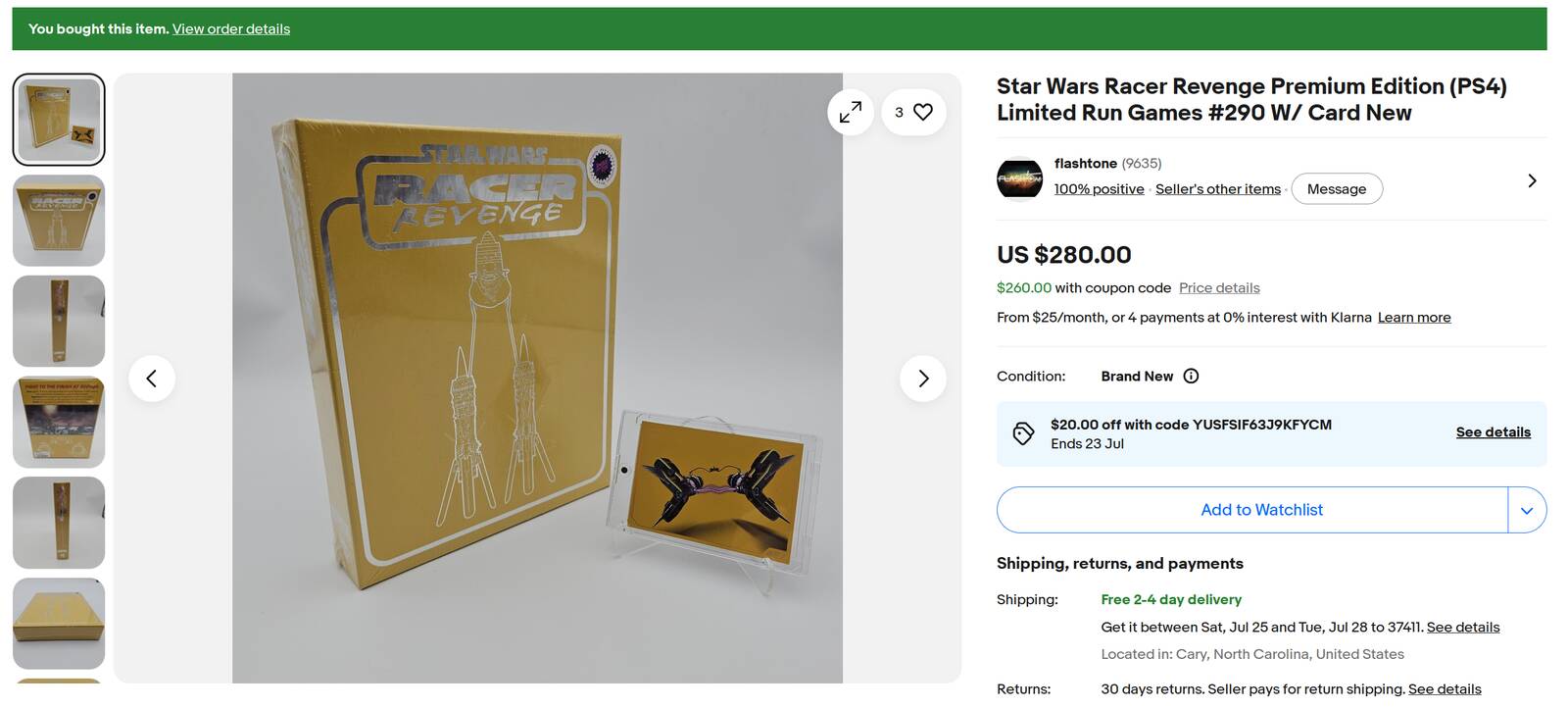
I had avoided going this route for a while, hoping I could wait out for another exploit. Last month, I bit the bullet and purchased this copy used for $280 ($305.90 with taxes and shipping).
The copy of this game was in pristine condition, in what I assume was the original shrink wrap. Most normal people would keep this game untouched in their collection or use it for an unboxing video and playthrough. I opened this perfect copy in hopes of getting administrative access on my PlayStation 5. Would my efforts pay off, or would I be left with an expensive rare copy of a money grab sequel to a game I played on my PC in the 90s?
Lua Save Game Exploit
At first, I tried using the instructions in the GitHub repository for remote_lua_loader by n0llptr9. I discovered that save games are encrypted based on your PlayStation user ID, making it difficult to exchange save games with others. Most of the instructions I had found involved uploading a zip of your saves to a cloud provider like Google Drive and then sharing them with some random Discord bot. Although I could have installed Apollo Save Tool10 on my PS4, I found an online service called Garlicsaves11.
I loaded Racer Revenge on my PS5, created a save game, exported it to a USB drive and decrypted it using Garlicsaves. I then added the payload from the remote_lua_loader project and used Garlicsaves to encrypt and sign the saves. I tried loading them on my PS5 and… nothing happened.
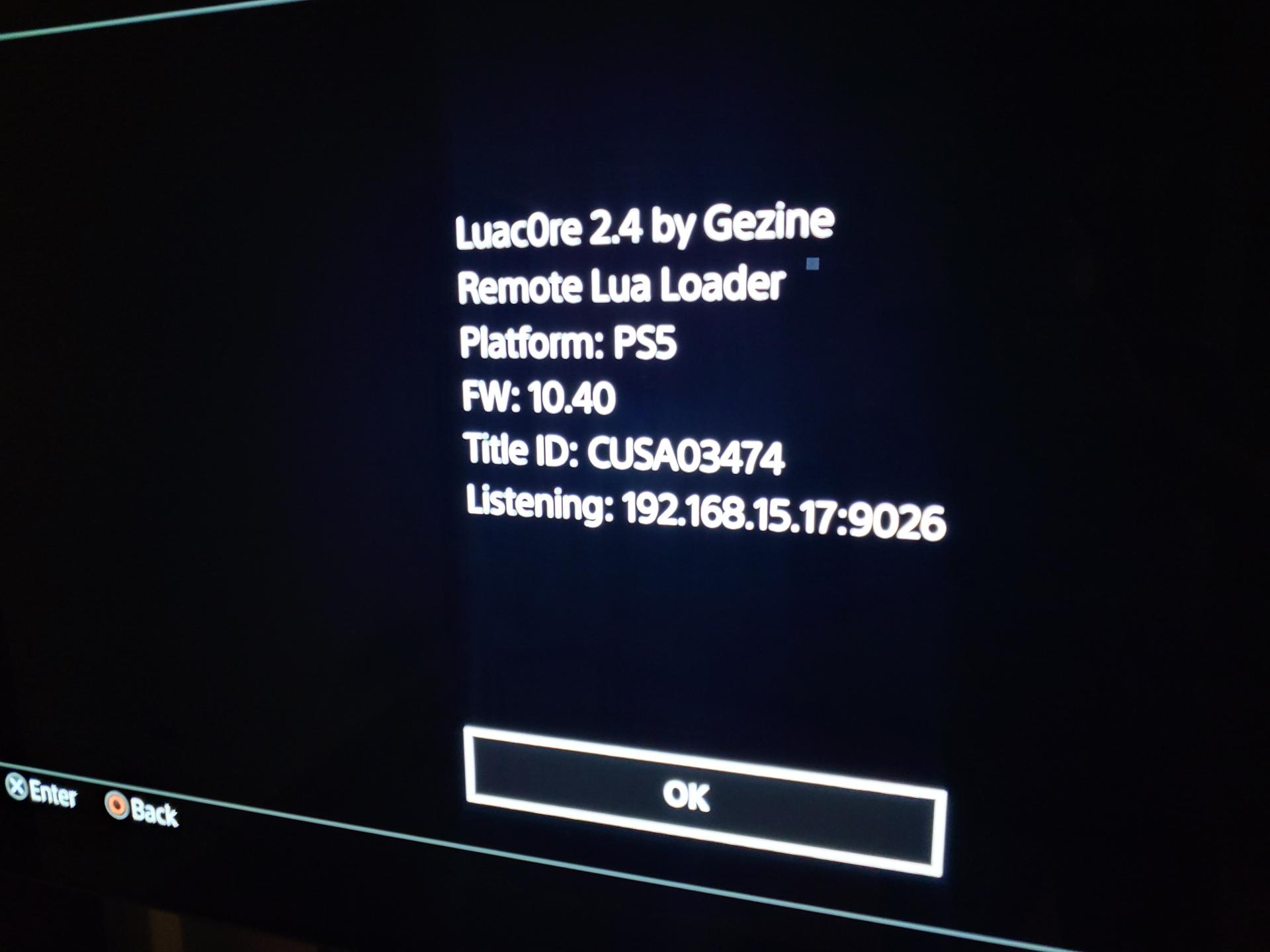
Looking more closely at the remote_lua_loader exploit, Star Wars: Racer Revenge wasn’t on the list of supported games. It turned out the exploit I needed was Luac0re12. Its repository contains a save for the game in a much larger 44 MB image format to contain all the payload data. Resigning it with Garlicsaves would result in a load error from within the game, as it would truncate the save to the default size and discard the extra data. I found another online save editor called Savely1314 that successfully resigned the larger save game file and kept the payload intact. From there I simply started the game, selected the Options > Hall of Fame menu option and watched the exploit code execute.
I do hate that I couldn’t find a local tool for unpacking and signing PS4 save files. After all, websites can go offline and disappear from the Internet. Thankfully, it’s an operation that only needs to be performed once.
Send the Payload
Luac0re’s documentation referred to remote_lua_loader for save game signing instructions, and so I also used that repository for the Lua Patience to Jailbreak (P2JB) payload. However, the payload delivery Python script would just hang. Hitting ctrl+c would close the connection, and the PS5 would pop up a dialog acknowledging the payload had been received, similar to my use of nc on the PS4, but nothing would happen. Video tutorials I found showed the payload script also reading status information from the running application15, which made me wonder if the Python script was designed for Windows and if the Linux socket implementation was preventing full payload delivery. However, it turns out Luac0re has its own, much simpler, payload delivery script written in Python16, which is what I should have been using. This delivers and executes the Lua payload correctly.
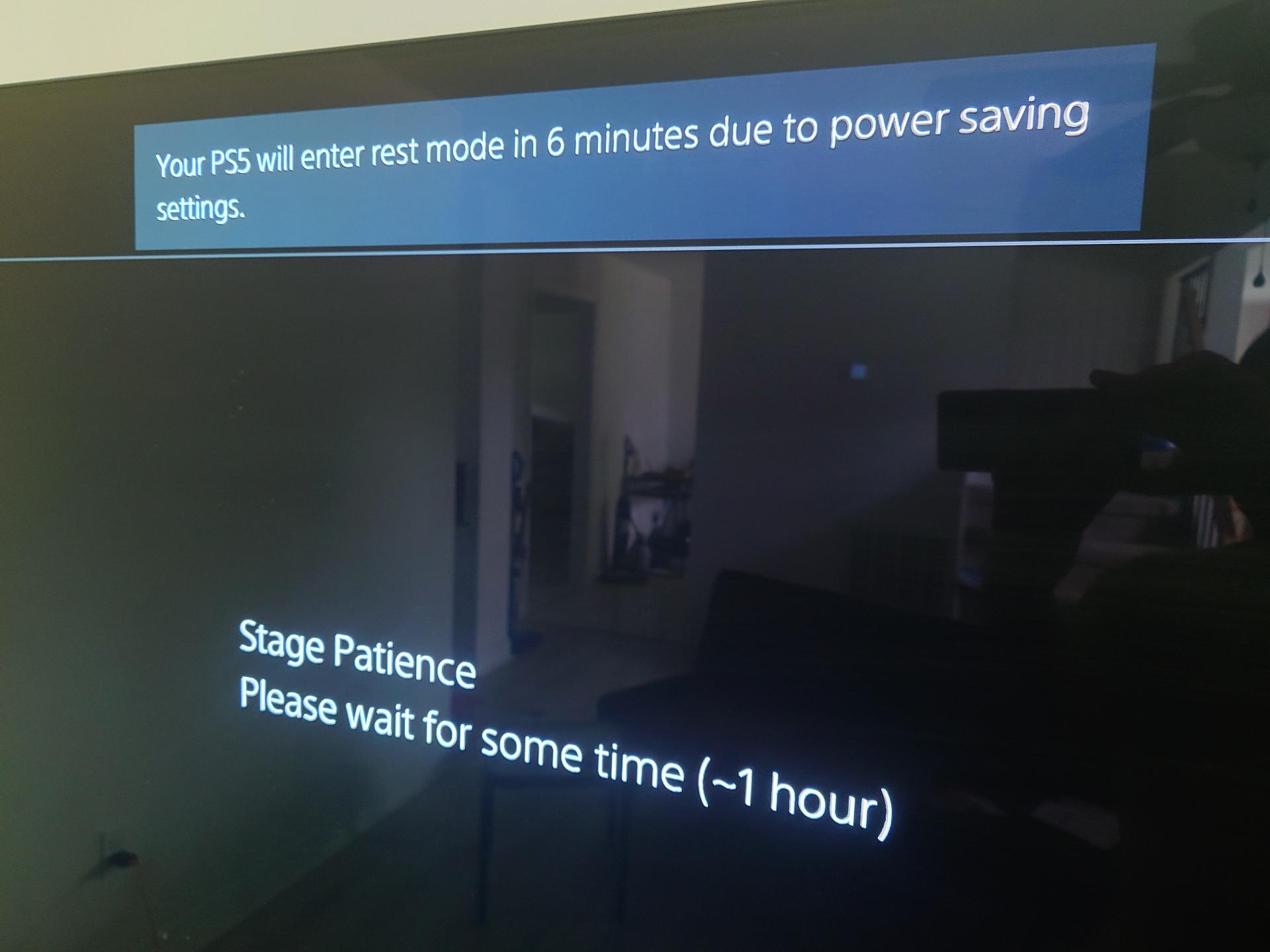
The P2JB exploit can take between one and two hours to run. It’s helpful to go into Settings > System > Power Saving and adjust the power-down time when running this. I initially made the mistake of letting the Lua script sit at the opening dialog, thinking it was running. I wondered why it was taking so long, looked at the source code, and noticed the shell code didn’t start running until after this dialog was dismissed. 🤦
Blu-ray Exploit
Once P2JB ran successfully, I now had administrative access on my PS5. However, it’s not persistent. There is another exploit that allows for loading custom code from a jar file off a Blu-ray disc, but it was patched in firmware after 7.61. The bdj_unpatch payload17 needs to be run to undo this firmware patch.
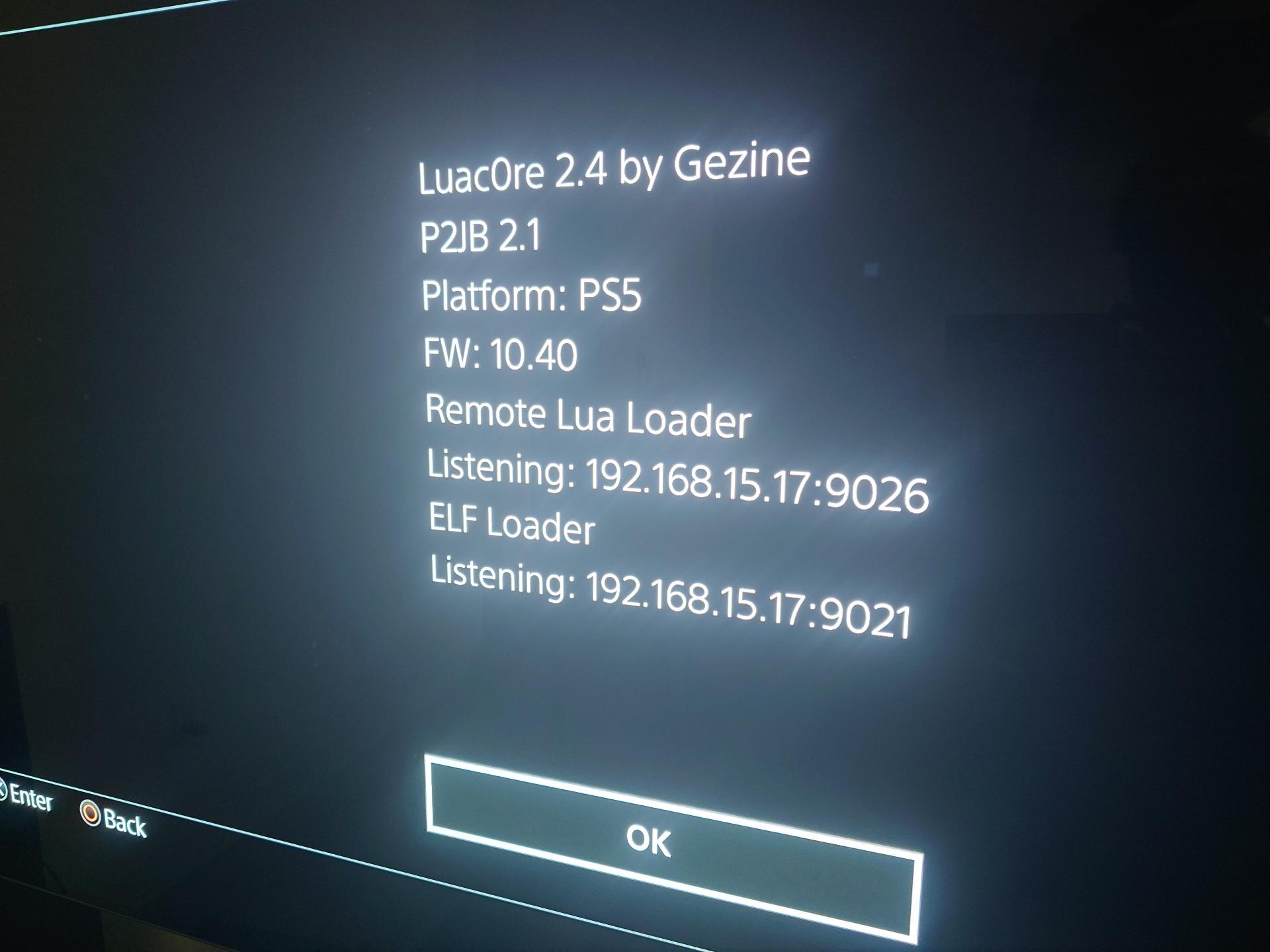
After applying bdj_unpatch, the system can be rebooted. Now it no longer takes an hour and multiple steps to jailbreak, it simply requires a Blu-ray disc. It must be a BD-R. Not a DVD-R or CD-R, only a BD-R because it works using the Java subsystem specifically for Blu-ray players18. Luckily I have an optical drive in one of my machines I use for ripping audio CDs. I decided to get a full Blu-ray burner years ago, just in case I needed it. I sold my last optical writer when I left the country for a few years in 2012. I bought a 10-pack of BD-Rs for $14 from a local store and realized this was the first time I had burned a disc in at least 12 years! Thankfully, cdrtools still exist, and I was able to use the classic cdrecord command to find my optical drive and burn a BD-R image.
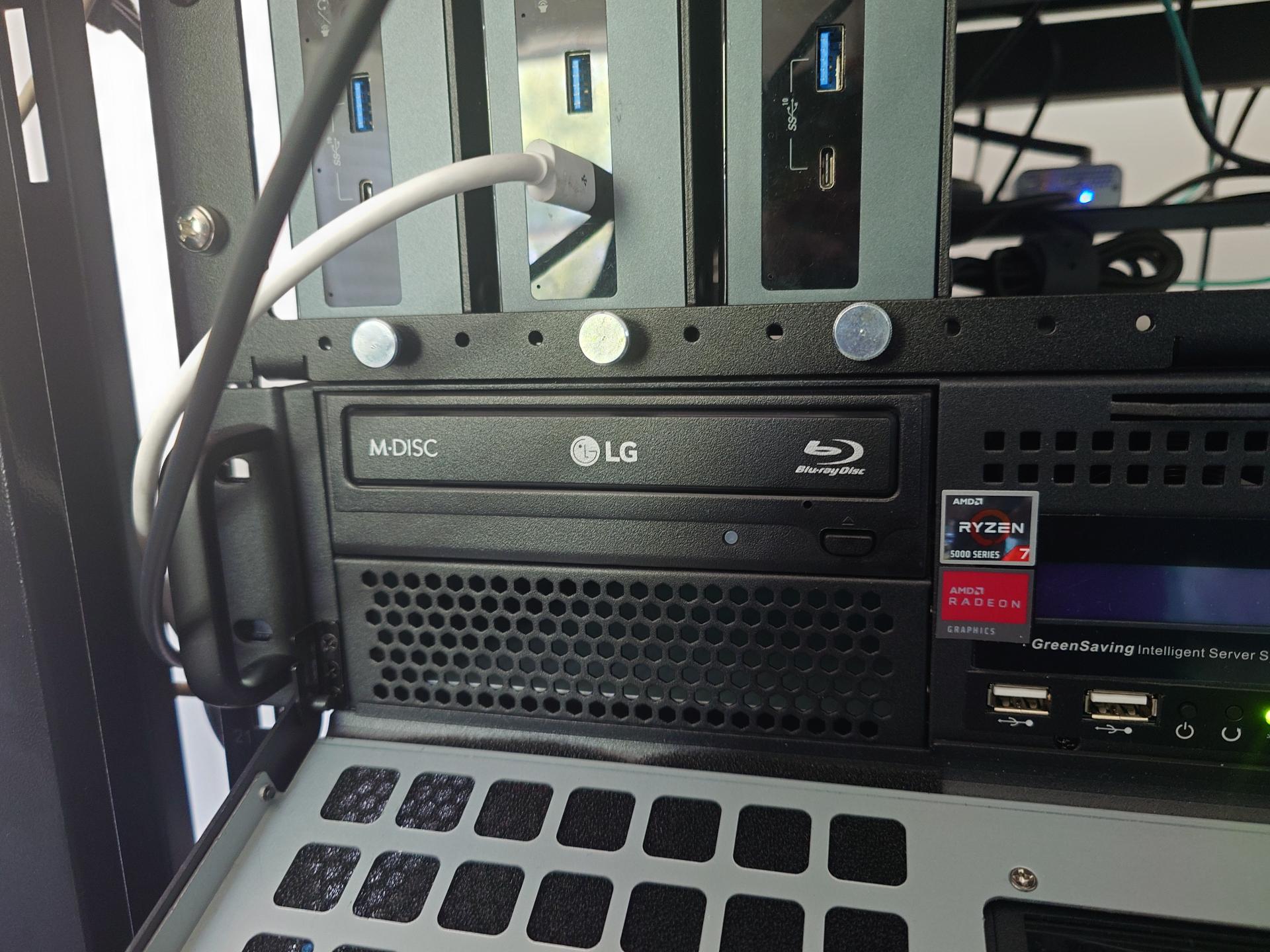
# Determine the correct device

cdrecord --scanbus
Cdrecord-ProDVD-ProBD-Clone 3.02a09 (x86_64-pc-linux-gnu) Copyright (C) 1995-2016 Joerg Schilling
Linux sg driver version: 3.5.36
Using libscg version 'schily-0.9'.
scsibus6:
        6,0,0   600) 'HL-DT-ST' 'BD-RE  WH14NS40 ' '1.05' Removable CD-ROM
        6,1,0   601) *
        6,2,0   602) *
        6,3,0   603) *
...
...

# Write the image
cdrecord dev=6,0,0 -eject -sao driveropts=burnfree ./BD-UN-JB_1.1.iso
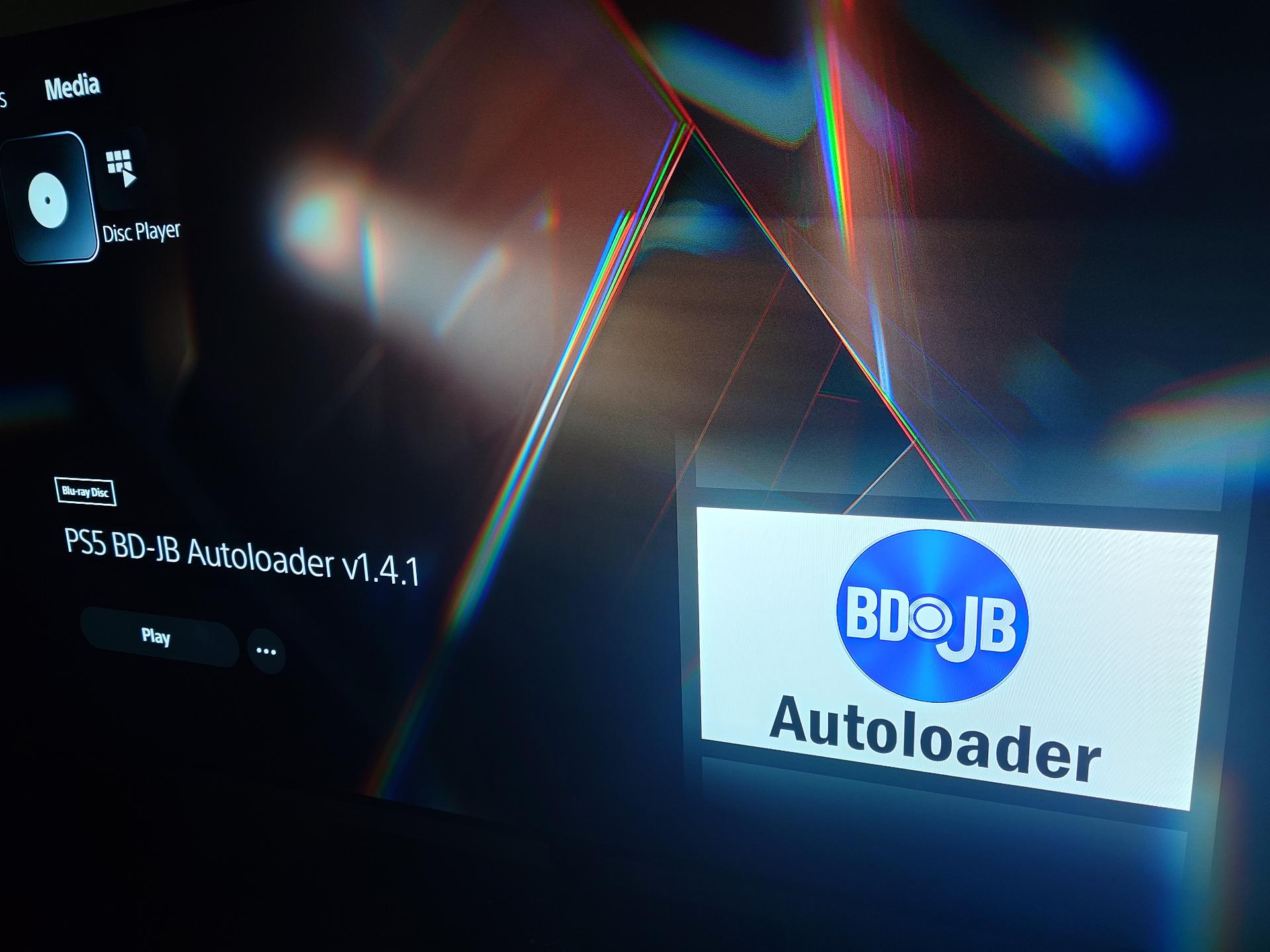
At first, I tried to use BD-UN-JB and deliver payloads to it. I had issues with sending the jar files to the loader, and instead I decided to use PS5 BD-JB Autoloader19, a tool I had seen in a video tutorial15. PS5 BD-JB Autoloader is a fork of BD-UN-JB that automatically launches a Payload Manager when it starts. It can copy executables in ELF binaries from a USB device and manage their execution.
cdrecord dev=6,0,0 -eject -sao driveropts=burnfree ./ps5-bd-jb-autoloader-v1.4.1-2d36e16.iso
Recommended Payloads
- ShadowMountPlus - Can load programs from UFS images with the
.ffpkgextension - Kstuff-lite - Needed for spoofing signature checks in order to run homebrew applications and packages
- Lapy JB Daemon - Standalone homebrew payload for PS5-Xplorer and similar apps
- ftpsrv - FTP server to transfer files from/to your PS5
Creating ffpkgs
ShadowMountPlus can load images in UFS, a FreeBSD file system. This can be done using native tools in FreeBSD, but I wanted to be able to build packages on Linux. UFS2Tool is a cross-platform tool written in C# that makes it easy to create UFS images on Windows, macOS or Linux20. If images are created ending with the .ffpkg extension, they can be placed in one of the default scan paths for ShadowMountPlus (such as /data/homebrew) and be loaded automatically.
Tutorial for Firmware 10.40
I mostly went by the PS5 FW 12.70 Jailbreak Tutorial by Alex Free21. It was well laid out, but some of the tools and instructions were outdated or weren’t intended to be used with games other than Racer Revenge. I would highly recommend looking around for better options first before trying to source this obscure Star Wars game. This scene moves rapidly, and by the time you are reading this, there may be an easier or free way to gain administrator access on the PS5 10.40 and above firmware. For reference, here are the steps I took.
- Obtain a physical copy of Star Wars: Racer Revenge
- Go to
Settings > System > Power Savingto temporally increase the sleep timeout for your PS5 (optional, helpful for P2JB) - Download and extract the Luac0re Save file and Payload
- Digitally sign the save file for your game’s region (
CUSA03474for the US orCUSA03492for Europe) using Savely Editor- Savely will need your PlayStation Account ID and Username
- Your Account ID can be found by exporting a PS4 game to a USB drive
- Go to
Settings > Storage > Console Storage > Saved Data > PS4 Games - Select any save data and run
Copy to USB Drive - You will see
PS4/SAVEDATA/xxxxxxxxxx/CUSAnnnnnon the USB drive. - The
xxxxxxis your Account ID.
- Copy the signed save to a USB stick and insert it in your PS5
- Go to
Settings > Storage > Console Storage > Saved Data and Game/App Settings > Saved Data (PS4) > Copy Or Delete From USB Drive > Copy From USB Driveand copy the save files to your console - Start Star Wars: Racer Revenge and go to
Options > Hall of Fame - You should see the payload screen displaying an IP address and port
- Within the
Luac0reproject, runpython payload_sender.py <PS5 IP Address> 9026 payloads/p2jb.luaon a computer that’s on the same network as your PS5 to load P2JB - Close the dialog to start the exploit process
- Wait 1~2 hours. A dialog will tell you when the process is complete with an IP and port for the ELF loader
- Download the
bdj_unpatchELF binary from BD-UN-JB Releases - Send the
bdj_unpatchpayload usingcat bdj_unpatch_1340.elf | nc <PS5 IP Address> 9021to unpatch Sony’s Blu-ray exploit fix - Download the latest
ps5-bd-jb-autoloader-v<version>-<hash>.isofrom PS5 BD-JB Autoloader and burn this image onto a Blu-ray disc (it must be a BD-R. It will not work from a DVD-R or CD-R18) - Restart the PS5
- Insert the PS5 BD-JB Autoloader disc
- Hit
R1on your controller from the PS5 main menu to navigate to media - Start the Autoloader disc
- Copy the following ELF payloads onto a USB drive
- ShadowMountPlus - UFS images (
.ffpkg) handler - Kstuff-lite - Spoofs signature checks for homebrew and packages
- Lapy JB Daemon - homebrew payload for PS5-Xplorer and similar apps
- ftpsrv - FTP server
- ShadowMountPlus - UFS images (
- Insert the USB drive and use Payload Manager to copy these payloads to your console and run them on startup
- (Optional) Go to
Settings > System > Power Savingand restore your sleep timeouts for your console
Now, all you need to do if your PS5 is power cycled is simply run the Blu-ray disc from the media tab. It will automatically load the payloads you’ve selected.
Closing Thoughts
Modding a console in the early 2000s typically involved soldering in an integrated circuit and adding a few bodge wires. Modern consoles have gotten considerably more sophisticated with layers of security including signed updates and hypervisor isolation, all designed to prevent people from running their own code on hardware they purchased. The World Wide Web of the 90s was also filled with hacking and security related search engines, making it easier to find other people who were modifying their own hardware and making amazing demos.
I don’t think enthusiasts in that world would even consider buying most of the hardware that’s available today. The first iPhone opened a market to consumers for high end compute that users didn’t have administrative rights to. That started a trend of normalizing software-as-a-service and hardware that feels more like something you lease than you own.
Most consumers just accepted buying programs that are locked to accounts controlled by companies. It’s designed to feel frictionless, until things go wrong. One user spent three years in a legal battle with Sony regarding a permanent ban on his stolen account, which had over $3,000 worth of purchases attached to it2223. A similar situation arose over an Xbox account in Brazil, resulting in another long legal battle in which the courts sided with the consumer and forced Microsoft to restore the account2425.
For several years, I’ve exclusively bought physical media for the few consoles I own. I’ve refused to go the route of digital downloads except in the case of PC games via stores such as Steam and GOG. I’ve participated in the system and even compromised on the PC. Yet, consumers like myself cannot vote with our money against a horde of people who do not care at all about their privacy.
In the end, Sony and game developers are getting rid of physical media for the last few holdouts like myself. Yet, thanks to the work of countless people poking around and discovering holes in consoles, it’s possible to liberate these systems and not be subject to a world where Sony controls everything about a device I purchased.
-
Halo: Campaign Evolved on PS5: How to Link Your Microsoft Account and Fix Sign-In Errors. 23 July 2026. SteelTron. GamerFuzion. ↩
-
Halo Campaign Evolved PS5 Split-Screen Requirement. 20 June 2026. Bhatnagar. Phrasemaker. ↩
-
Hugely terrible DRM has now been rolled out to all PS4 and PS5 digital games. Every digital game you buy now requires an online check-in every 30 days. If you buy a digital game and don’t connect your console to the internet for 30 days, your license will be removed.. 25 April 2026. @manfightdragon. X. ↩
-
Sony Just Killed Game Ownership: New PlayStation DRM Locks Your Games. 1 May 2026. Karan. Techwiser. ↩
-
PS4/PS5 Jailbreak News: PSN Game Expiry, PS5 13.20, Linux Update, PS5 Xplorer 1.05 & More!. 24 April 2026. MODDED WARFARE. ↩
-
PlayStation Users Report New Online License Checks, But Sony Quells Concerns. 29 April 2026. Gurwin. GameSpot. ↩
-
Sony responds after 30-day owned game timer spotted on PlayStation - Dexerto. 30 April 2026. Warby. Dexerto. ↩
-
Star Wars: Racer Revenge PS4 Price Skyrockets After PS5 Jailbreak Rumor. 3 January 2026. Hansen. Star Wars Gaming. ↩
-
GitHub - n0llptr/remote_lua_loader. GitHub. Retrieved on 29 July 2026. ↩
-
Apollo Save Tool (PS4). bucanero. GitHub. Retrieved on 29 July 2026. ↩
-
garlicsaves. garlicsaves.com. Retrieved 29 July 2026 ↩
-
Luac0re: Luac0re is a mast1c0re variation that uses Lua scripting for easier exploit development.. Gezine. GitHub. Retrieved on 29 July 2026. Mirror ↩
-
[Free] Online PS4 Save Resigner and Save Editor Tools. 28 Feburary 2026. unknownv2. GBAtemp. ↩
-
Unpatching the Blu-Ray Jailbreak with P2JB. 14 May 2026. MODDED WARFARE. ↩ ↩2
-
Luac0re payload_sender.py at main. Gezine. GitHub. Retrieved on 30 July 2026 ↩
-
Releases · BD-UN-JB. Gezine. GitHub. Retrieved on 30 July 2026. ↩
-
DVD instead of Blu-ray?. 25 May 2026. NeirX. r/PS5_Jailbreak. Reddit. ↩ ↩2
-
ps5-bdjb-autoloader: An automated payload loader for exploited PS5 consoles. itsPLK. GitHub. Retrieved on 30 July 2026. ↩
-
UFS2Tool: A FreeBSD UFS1/2 Filesystem Manager for Windows, macOS & Linux.. SvenGDK. GitHub. Retrieved on 31 July 2026. ↩
-
PS5 FW 12.70 Jailbreak Tutorial. Free. 31 May 2026. Retrieved 30 July 2026. ↩
-
To the folks still defending Sony’s pathetic decision to remove physical media from their production, here’s a solid reminder why I will never support and you shouldn’t either. I had to literally sue Playstation because my OG account was wrongfully banned and it took me 3 years…. 13 July 2026. @PrimitiveAK. X. ↩
-
After a 3 year battle with PlayStation regarding my account being stolen, then Permanently banned, PlayStation Moderation team from BBB gave me a call today to resolve the issue and unbanned my account and gave it back to me. Beyond blessed. This account is my childhood. https://t.co/mn9vVxLFn1. 14 June 2021. @PrimitiveAK. X. ↩
-
Sounds similar to what another gamer had to do with Xbox after they lost their account and had to sue. Players need to stop defending a digital only future, it benefits only the corporations and not you, the player….. 13 July 2026. @PenguinLamont. X. ↩
-
Microsoft loses Brazilian court case after telling hacked Xbox user to re-purchase games. 13 July 2026. PCN Staff. Pop Culture News. ↩