The End of Physical Media and The PS4 Pirate Pro

Although I’ve bought some digital titles on PC (via Steam, GoG and other stores) and a few titles on a very old PS Vita, starting with my PlayStation 4 Pro, I decided to only purchase games on physical discs. Same with my Switch and PlayStation 5. Last year I purchased Hogwarts Legacy for the PS5 and was horrified, after playing the introduction, that an Internet connection was required to download the actual game. It was clearly written on the box. I had missed it, and now I could no longer return the game. I kept my consoles disconnected from the Internet, and the frustration with Hogwarts Legacy was the final straw I needed to push me toward finally liberating my PlayStation 4.
Sony being Anti-Consumer
Sony recently announced they were ending the production of physical discs for new games on their consoles in 2028123, which has greatly upset some gamers4. This news came immediately after Rockstar Games announced that Grand Theft Auto VI will not come on disc either, with retail versions simply having a download code in their box5. These actions have brought up the classic Sony advertisement from 13 years ago, where Sony showed that sharing a game for the PS4 was as simple as sharing a disc6, an ad that has not aged well.
On top of all of this, back in 2023, Sony removed many shows they lost licenses for after the Discovery Warner Brothers merger. They deleted these shows off of people’s devices without offering any type of refund7. This happened again this year with Sony deleting movies from accounts after they had “bought” them, with no refunds offered8. The average consumer is slowly being boiled by the concept that they don’t own any of their digital purchases, unlike actual discs or media that can be played offline and preserved. Sony has faced zero repercussions for these insane actions, showing once again that, in the era of digital rights management, piracy is completely justified910.
Taking Ownership of my PS4
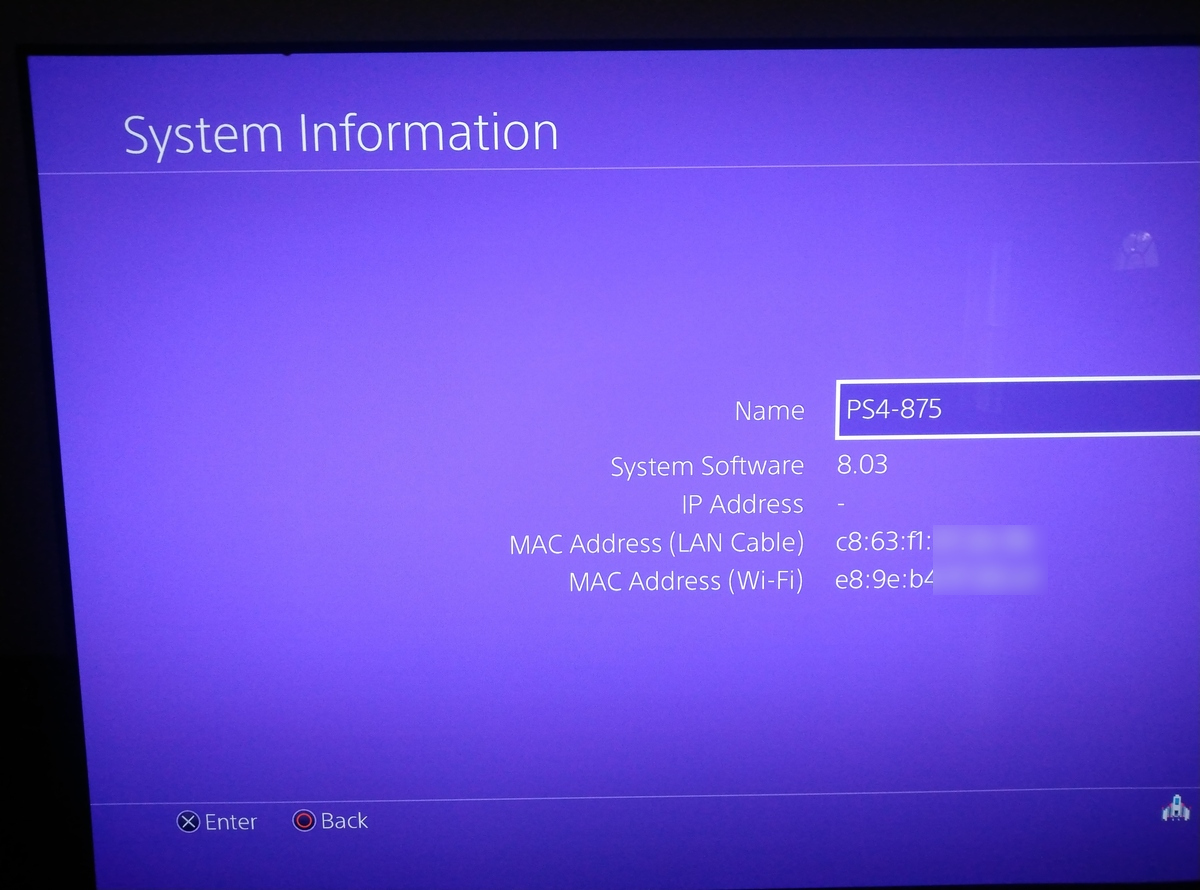
I had kept my PS4 disconnected from the Internet for quite some time. A quick firmware check indicated my system software was at version 8.03, old enough to make use of exploits in order to run my own code on the device I had purchased.
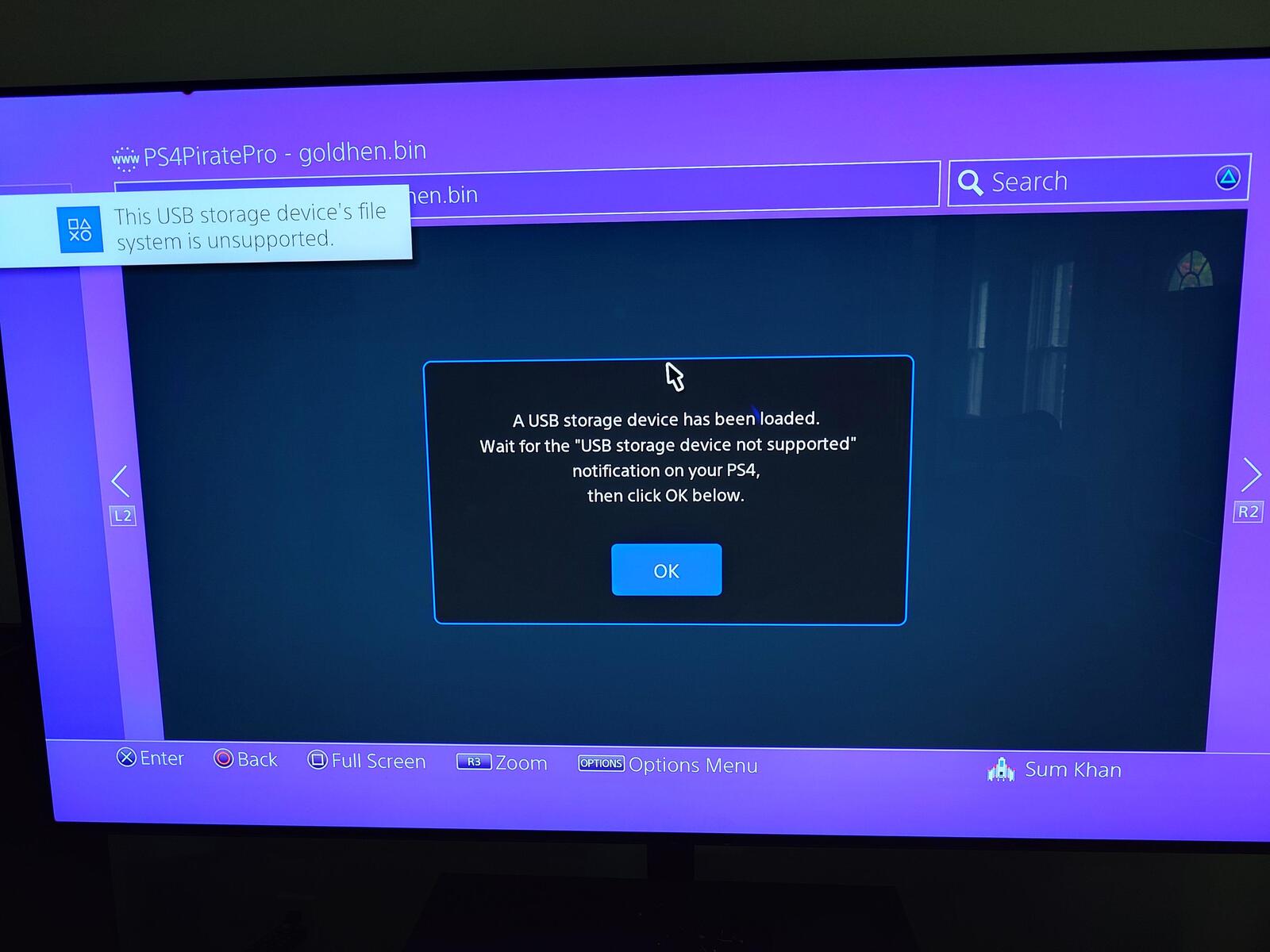
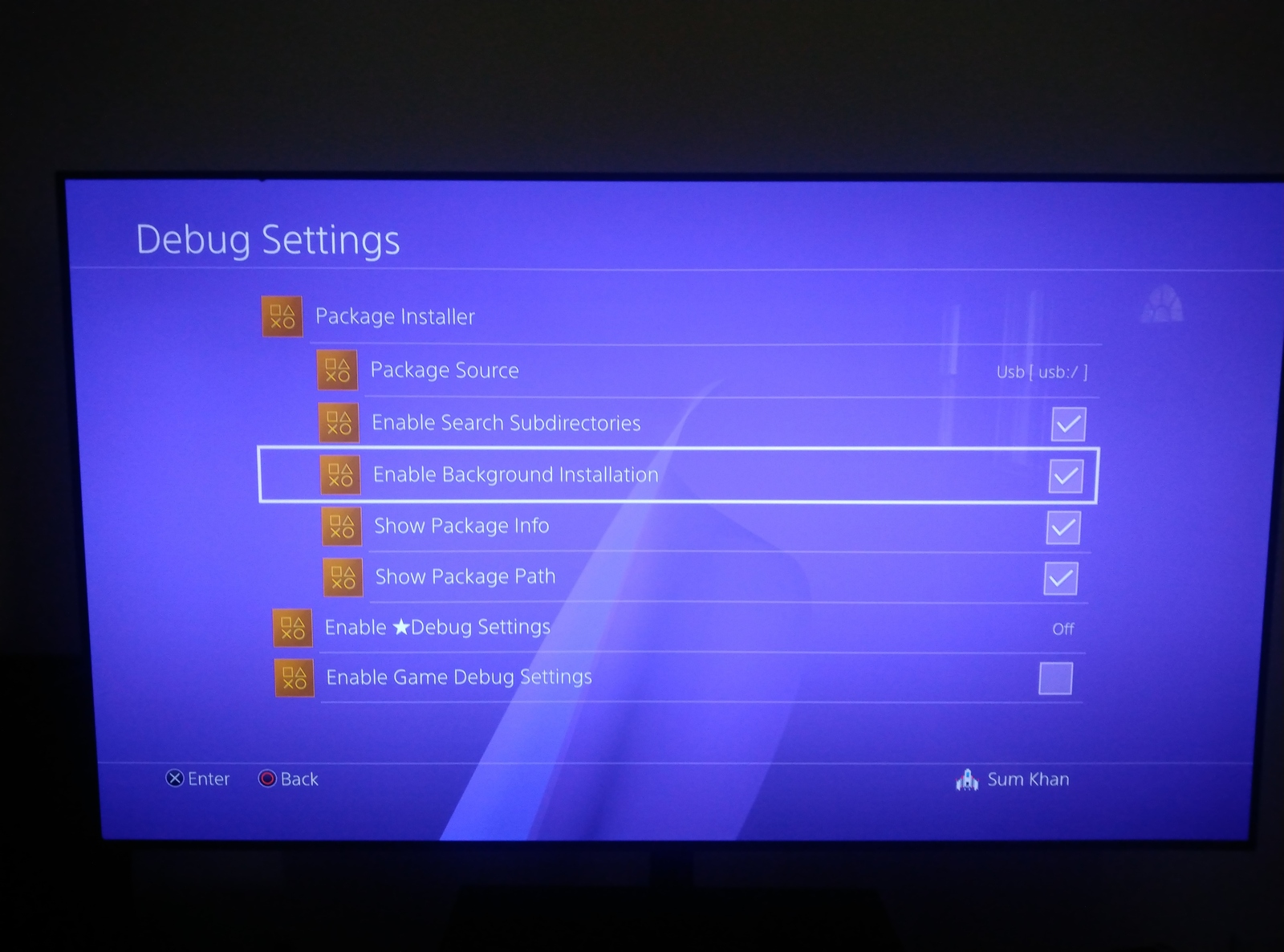
Exploiting my firmware was a multistage process. First, I had to upgrade to version 9.00 of the firmware to run the homebrew enabler I wanted to use11. I didn’t want to connect to the Internet, so instead I put the official Sony firmware on a USB drive to perform the update. After that, I connected a Raspberry Pi directly to the PS4 via Ethernet. The Pi had a DHCP server to assign my PS4 an IP address. It also had a web server running on it, allowing me to use the PS4’s web browser to run the pOOBs4 exploit12. This exploit contains a web component, but also requires the user to plug in a USB drive with a custom corrupt FAT filesystem on it after the web component executes. This allows a hole through which a payload, or custom code, can be sent and run on the PS4. I then used netcat (nc) on the Raspberry Pi to deliver and load GoldHen, an enabler that allows for running custom code and homebrew packages on the PlayStation13.
This isn’t a permanent jailbreak. If I ever lose power or reset the PlayStation, I have to go through the entire dance of opening a web browser, loading the exploit page, plugging in the USB stick and running cat goldhen.bin | nc 192.168.15.16 9020 to load GoldHen on my console (I also have to hit control+c on the nc command after a few seconds to force it to close the connection as I couldn’t figure out how to get it to close on its own after sending the payload). It’s not really a complicated process once you know it, and there are several developers who have created firmware for embedded devices that handle the web server and payload delivery.
Newer Raspberry Pis can run in USB Gadget mode, where they can emulate USB devices such as cameras or mass storage. I wanted to write my own all-in-one solution that allowed me to select a payload on the PS5’s web browser, run the web exploit, emulate the corrupt USB storage image and deliver the payload all in one easy flow.
The PS4 Pirate Pro

Creating such an application is not very complicated, but it still requires time I didn’t want to invest just to make starting up my PlayStation 4 a little more convenient. I ended up spec coding this application. Anthropic’s current models, Fable and Opus, refused to work on the specs for this program due to the reference to pOOBs4, even though it was a four-year-old exploit. Instead, I ended up using GLM-5.2 as the model for creating the PS4 Pirate Pro. It took several iterations in order to get it to properly display error messages to the user and successfully deliver the GoldHen payload, but overall it works well and has greatly simplified the jail breaking process on my PS4.
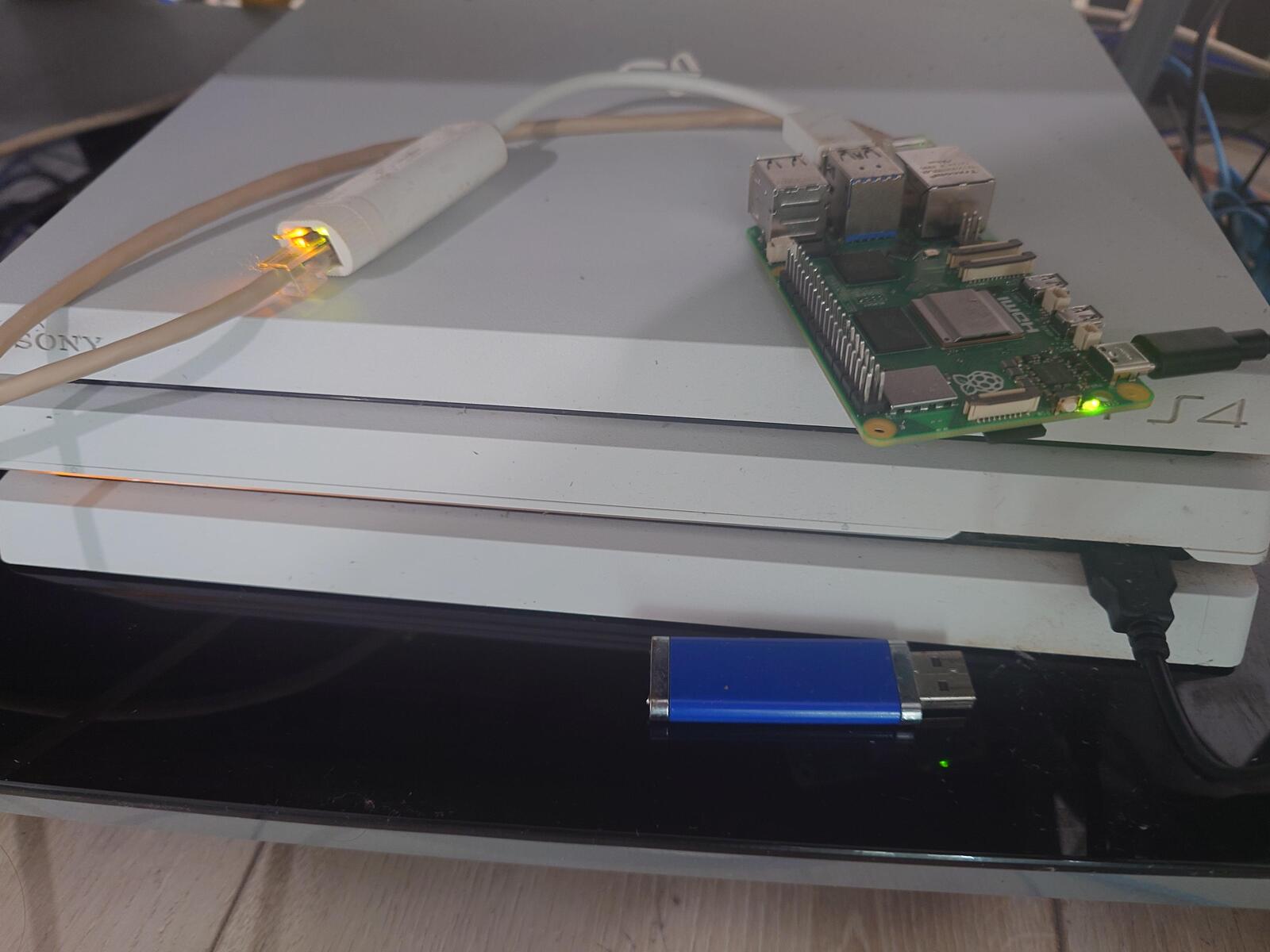
You can use the PS4 Pirate Pro with any Raspberry Pi Linux distribution. I decided to go with Void Linux. The onboard Ethernet is connected to my local network, and the USB-C is connected to the PlayStation’s USB-A ports (make sure it’s a data cable and not just a power delivery cable). I use an external network adapter to connect to the PlayStation 4, but my previous version had the onboard adapter connected to the PS4 and Wi-Fi connected to my local network.
Networking
In Void Linux, static network configuration is just done in /etc/rc.local. I use this to establish the network the PS4 will live on. Void also uses standard Ethernet names like eth0 and eth1. Other distributions may use unique adapter names or recommend you put static network settings in specific configuration files.
# /etc/rc.local
ip link set dev eth1 up
ip addr add 192.168.15.1/24 dev eth1
I installed dnsmasq in order to give my PS4 an IP address via DHCP. You can use any DHCP server, but the configuration for /etc/dnsmasq.conf, assuming the PS4 is connected to eth1 and your LAN is on eth0, would look something like this (with the MAC address replaced with the one on your PS4).
except-interface=eth0
dhcp-range=ps4,192.168.15.10,192.168.15.20,12h
address=/ps4pirate/192.168.15.1
dhcp-host=c8:63:f1:XX:XX:XX,192.168.15.16,ps4pro
no-resolv
USB Gadget Support
USB gadget support is only available on certain Raspberry Pis, such as the Pi3 Model A+, Pi4, Pi5 and various Pi Zero boards14. For Void Linux, I installed the rpi5-kernel package. I’m not sure if this was entirely necessary.
# Install the Raspberry Pi kernel specific to your device
# (in my case, the Pi5). Not sure if this is necessary

xbps-install -Sy rpi5-kernel
I then added configfs to /etc/fstab, which will be used by PS4 Pirate Pro to enable USB gadget and mass storage mode.
echo "configfs /sys/kernel/config configfs defaults 0 0" >> /etc/fstab
The libcomposite and g_mass_storage kernel modules are required to emulate USB mass storage devices. They can be added to a configuration in /etc/modules-load.d so they are loaded at boot:
echo -e "libcomposite\ng_mass_storage" > /etc/modules-load.d/usb-gadget.conf
Finally, add the correct overlays to /boot/config.txt for the Pi’s configuration (this file might be in different locations depending on which Linux distribution you use):
echo "dtoverlay=dwc2,dr_mode=peripheral" >> /boot/config.txt
You can have multiple dtoverlay statements in config.txt (Void Linux comes with one to enable the 3D graphics systems), so appending a new one to the end of the file will simply load it after the others. The overlay name, dwc2, is a reference to the DesignWare Core drivers originally used for USB-OTG mode15.
Installation
Now that all the pre-configuration is complete, the PS4 Pirate Pro can be installed. This is a Python application that serves the website needed to jailbreak the PS4, emulates the USB mass storage device for the second stage of the exploit and finally delivers our payload. It does need to run as root for now in order to create the USB storage device. I’m going to place it in /opt/ps4piratePro/. I’m using git to clone the repository directly on the device, but you can use rsync, scp or other tools to sync it from a local device to the Pi if you prefer.
# Install tools we need on Void Linux
xbps-install -Sy git uv

# Clone Repository
cd /opt
git clone https://forge.sumit.im/djsumdog/ps4piratePro.git

# Build the Python virtual environment
cd ps4piratePro
uv sync
There will be an example configuration file at /opt/ps4piratePro/config.yaml.example. Copy this to /opt/ps4piratePro/config.yaml and adjust if needed (e.g. if you used a different IP address for your PS4).
web:
  bind: 0.0.0.0
  port: 80
ps4_payload:
  address: 192.168.15.16
  port: 9020
payloads: /opt/ps4_payloads
In the above configuration, the service will expect all the possible binary payloads to be in /opt/ps4_payloads. It will present the user with every .bin file in that directory. This is where you can put releases for tools like GoldHen13.
Finally, the service files to start the program need to be created. Void uses runit, and the following creates and enables runit service files. Other distributions may require systemd or openrc versions of these initialization scripts.
# Create the Service and run scripts

mkdir -p /etc/sv/ps4piratePro

cat << 'EOF' > /etc/sv/ps4piratePro/run
#!/bin/sh
exec 2>&1
cd /opt/ps4piratePro || exit 1
exec uv run python -m ps4pirate_pro web
EOF

# Set the script to be executable

chmod +x /etc/sv/ps4piratePro/run

# Enable the service

ln -s /etc/sv/ps4piratePro /var/service/

# Create and enable logging  for the service

mkdir -p /etc/sv/ps4piratePro/log
cat << 'EOF' > /etc/sv/ps4piratePro/log/run
#!/bin/sh
exec svlogd -tt /var/log/ps4piratePro
EOF
chmod +x /etc/sv/ps4piratePro/log/run
mkdir -p /var/log/ps4piratePro
Usage
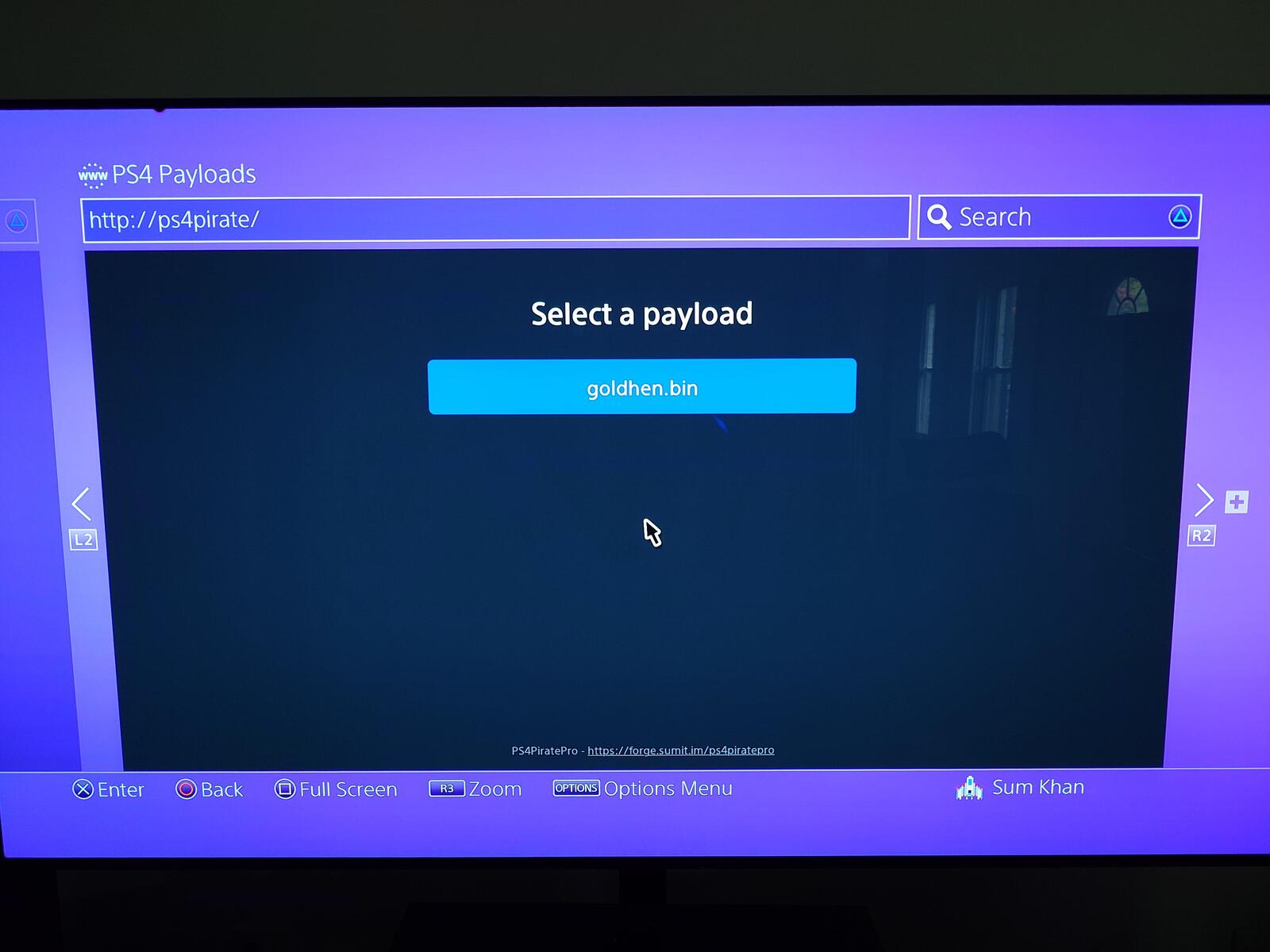
If the service started successfully, navigating to the hostname (which I configured as ps4pirate previously in dnsmasq.conf) or IP address of the Raspberry Pi from the PS4’s web browser will present a payload selection screen and move through the process of jail breaking the PS4.
The PlayStation 5
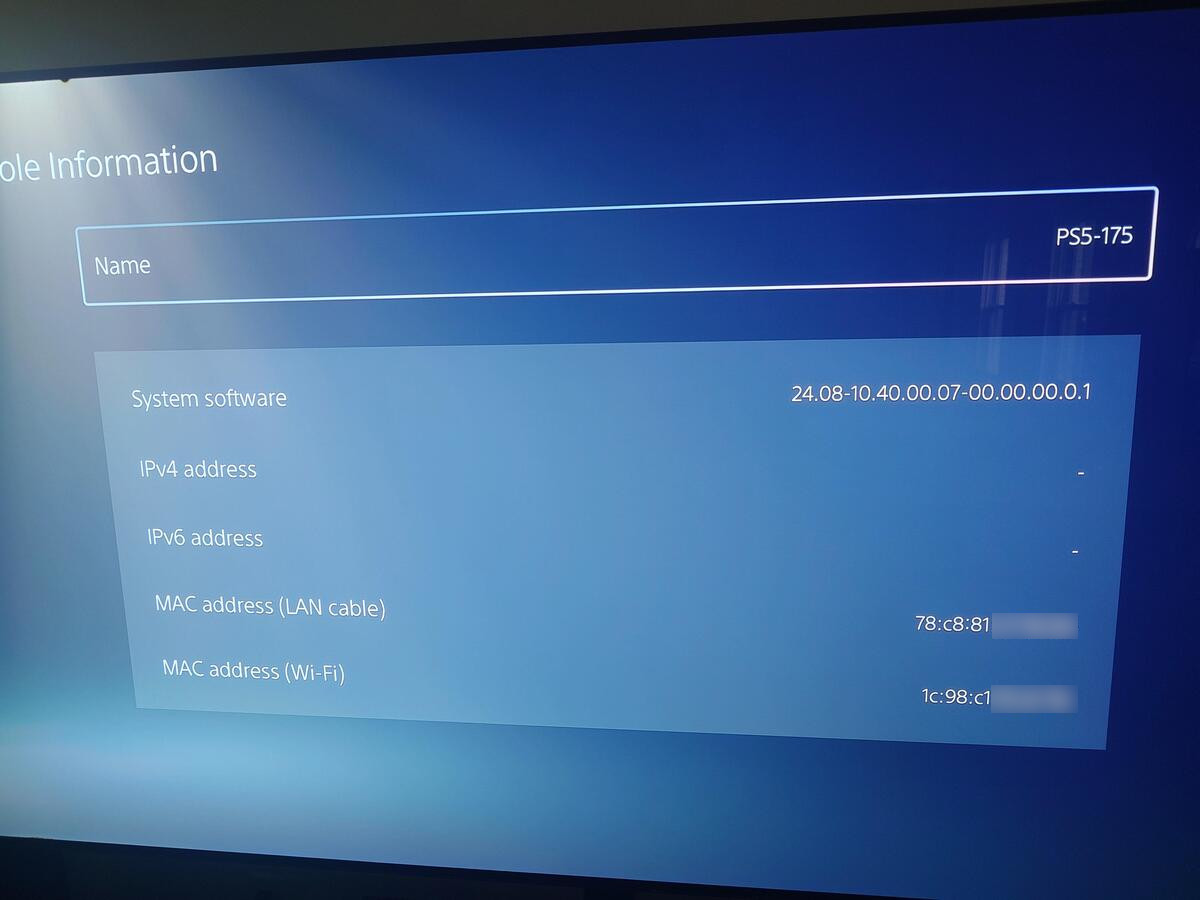
I’ve kept my PlayStation 5 disconnected from the Internet ever since downloading Hogwarts Legacy. Even games on physical media will contain system updates, both for the Nintendo Switch and Sony consoles, which can patch valuable yet-to-be-discovered exploits. Currently my PS5 is still on firmware 10.40, and there are some options for jail breaking such devices. My next project is to do the same thing with my PlayStation 5, using some of the known exploits for my firmware version currently circulating in the wild.
-
Physical disc production ending in January 2028 for new games releasing on PlayStation consoles. 1 July 2026. Shuman. PlayStation Blog. ↩
-
Sony PlayStation Will Stop Releasing Games On Discs In 2028. 2 July 2026. BeauHD. Slashdot. ↩
-
HW News - DRAM Antitrust Lawsuit, ID Verification, USA Wants 5% of OpenAI, Sony Drops Discs. 10 July 2026. Gamers Nexus. ↩
-
Does This Make You Mad Sony?. 7 July 2026. videogamedunkey. ↩
-
GTA VI is a worrying sign for the future of physical games. 24 June 2026. Peters. The Verge. ↩
-
Official PlayStation Used Game Instructional Video. 10 June 2013. PlayStation. ↩
-
PlayStation To Delete A Ton Of TV Shows Users Already Paid For. 1 December 2023. Gach. Kotaku. ↩
-
Sony Deletes More Movies From Accounts of People Who ‘Bought’ Them. 17 July 2026. BeauHD. Slashdot. ↩
-
Sony stole what you purchased AGAIN: piracy is COMPLETELY JUSTIFIED. 29 June 2026. Louis Rossmann. ↩
-
Steal This Comic. 13 October 2008. xkcd. ↩
-
PS4: GoldHEN 2.4b17.2 released, adds support for Firmwares 10.00 / 10.01. Support for 9.60 is next. 21 May 2024. wololo. Wololo.net. ↩
-
GoldHEN: PS4 Homebrew Enabler. GoldHEN. GitHub. Retrieved on 18 July 2026. ↩ ↩2
-
USB gadget mode in Raspberry Pi OS: SSH over USB. 21 January 2026. Oberosler. Raspberry Pi. ↩
-
What does “dtoverlay=dwc2” REALLY do? 29 December 2017. Sanders. Raspberry Pi Stack Exchange. ↩